
Share a chart image
Make a clean picture of your chart, with your money hidden unless you choose to show it, or turn one trade, or your week, into a card.
- Who it is for
- Traders who post their charts and trade ideas.
- Time
- 3 min
- Steps
- 4 steps
Steps in this guide4 steps
Step 1: Open Share chart
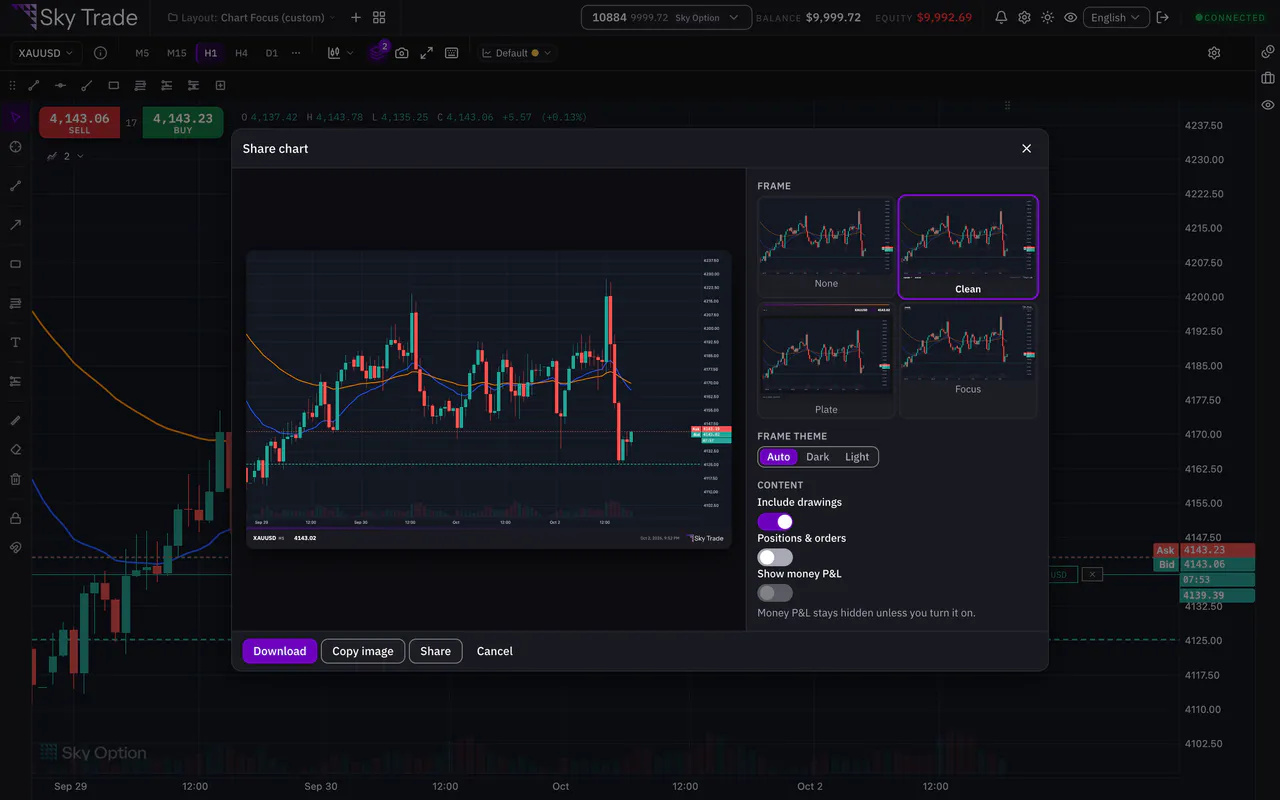
Press the camera button in the chart’s toolbar, or right-click the chart and choose Share chart. A preview of your chart opens.

Step 2: Choose a frame and what the picture shows
Pick one of 4 frames, None, Clean, Plate or Focus, and a Frame theme: Auto, Dark or Light. Under Content, choose whether to include your drawings and your Positions & orders.
Step 3: Download, copy or share
Press Download to save the picture, Copy image to paste it into a chat or a post, or Share to send it through your device’s share menu. Copy image and Share appear where your browser supports them.
Step 4: Share one trade, or your week, as a card
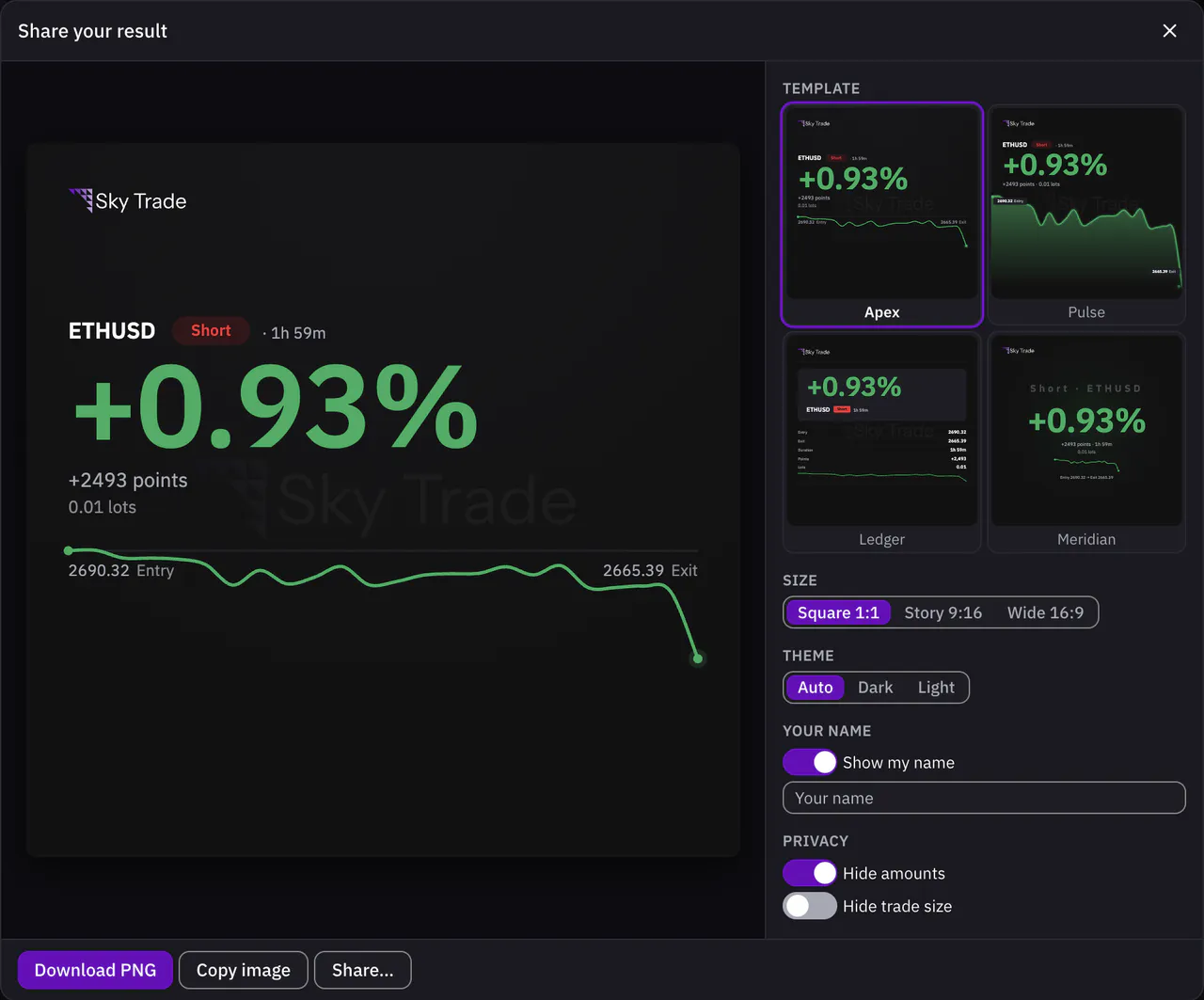
In History, press Share trade on a closed trade, or Share my week (or month) for the period. Choose a Size, Square, Story or Wide, then a Template and a Theme. Hide amounts and Hide trade size keep your numbers private. Then Download PNG, Copy image or Share….


That is the whole guide
You have done every step. Pick what to learn next, or try it on the live chart.
Up next
- Pro
Trade from the chart
Move your take profit, stop loss and pending entries by dragging them on the chart, and see what the trade would make or lose before you confirm.
6 min5 steps - Pro
Save and reuse chart templates
Save a whole chart setup: colours for both themes, the chart type, indicators and drawings. Put it on any chart, or take it to another computer in a file.
4 min4 steps - Beginner
Hide your money with Streamer Mode
Share your screen or stream your trading without showing your account number, your money or your lot sizes.
2 min4 steps