
Size a trade by risk
Decide how much you will risk, set your stop loss and let the ticket work out the lots. Then plan with a position tool sized from your balance and leverage.
- Who it is for
- Traders who choose the risk first and the size second.
- Time
- 5 min
- Steps
- 4 steps
Steps in this guide4 steps
Step 1: Choose Risk as the ticket’s size
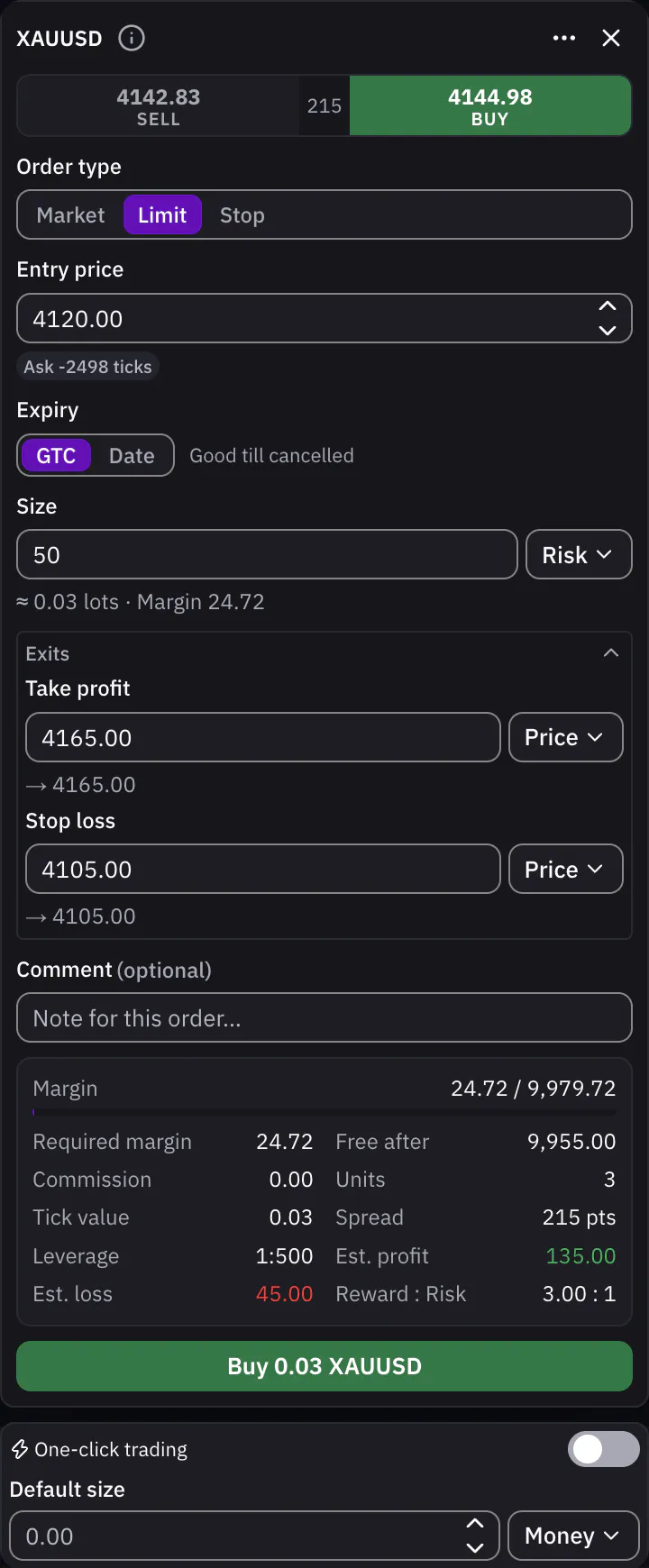
In the order ticket, open the unit beside Size and choose Risk. The ticket sizes in 3 ways, Money, Lots and Risk, and switching converts the value you typed. With Risk, type the amount of money you are willing to lose on this trade.
Step 2: Set your stop loss
Under Exits, set a Stop loss as a price, a distance in ticks or a percent. The stop loss is where your risk is measured, so without one the ticket cannot size by risk and tells you to set it.
Step 3: Read the lots it works out
Under Size, the ticket shows the lots it calculated and the margin they need, and the Buy or Sell button names the size. Est. loss shows what you would lose at the stop loss. Move the stop further away and the size gets smaller, so the risk stays the same.
Step 4: Plan with the long or short position tool
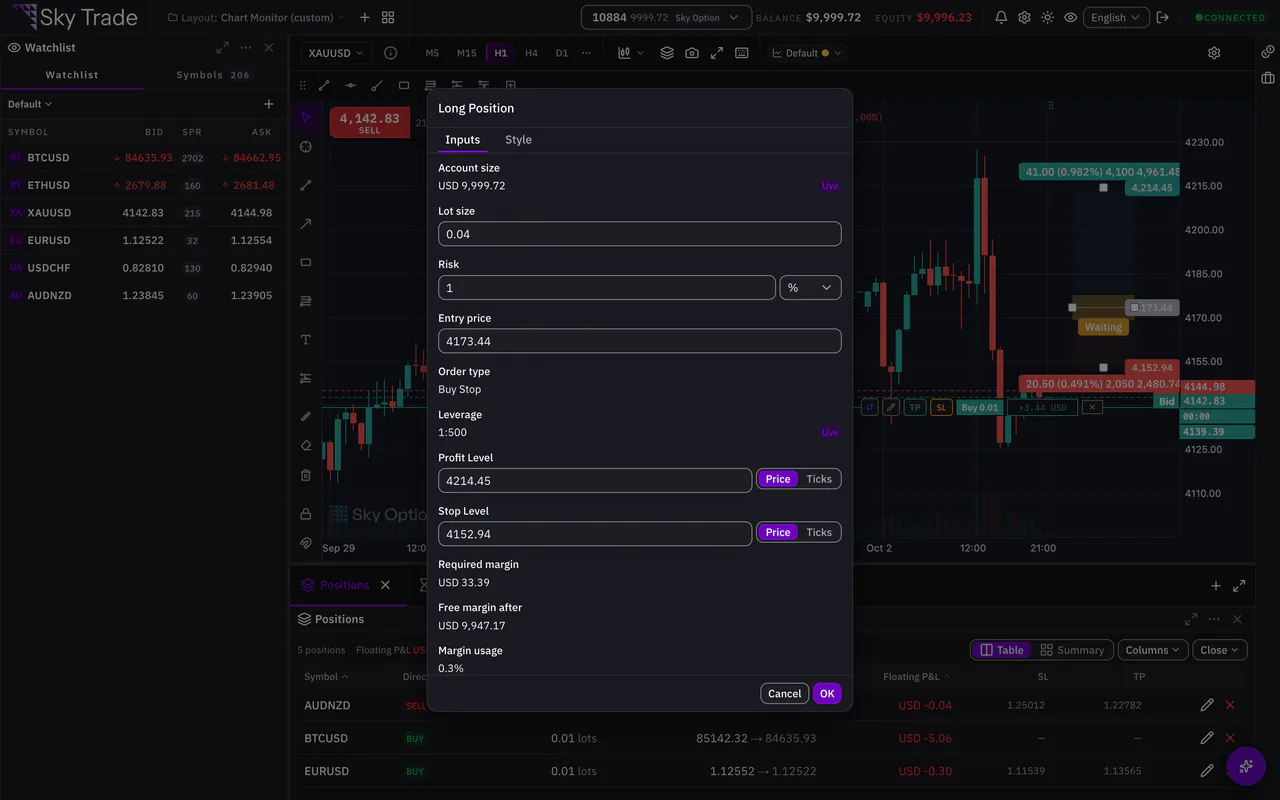
In the drawing tools, choose Long Position or Short Position and place it on the chart. Right-click it and choose Settings…. On Inputs, it reads your account size and leverage live from your account, works out the lot size from your risk, and shows the required margin, the free margin after the trade and whether you can afford it right now.


That is the whole guide
You have done every step. Pick what to learn next, or try it on the live chart.
Up next
- Pro
Trade from the chart
Move your take profit, stop loss and pending entries by dragging them on the chart, and see what the trade would make or lose before you confirm.
6 min5 steps - Pro
Share a chart image
Make a clean picture of your chart, with your money hidden unless you choose to show it, or turn one trade, or your week, into a card.
3 min4 steps