
Trade from the chart
Move your take profit, stop loss and pending entries by dragging them on the chart, and see what the trade would make or lose before you confirm.
- Who it is for
- Traders with an open position or a pending order. Try it on a demo account first.
- Time
- 6 min
- Steps
- 5 steps
Steps in this guide5 steps
Step 1: Find your position on the chart
Open a small position on a demo account and look at its chart. The entry line shows the size and the live profit or loss, with buttons to reverse or close the position and to add TP and SL. A take profit and a stop loss each have their own line at their price.
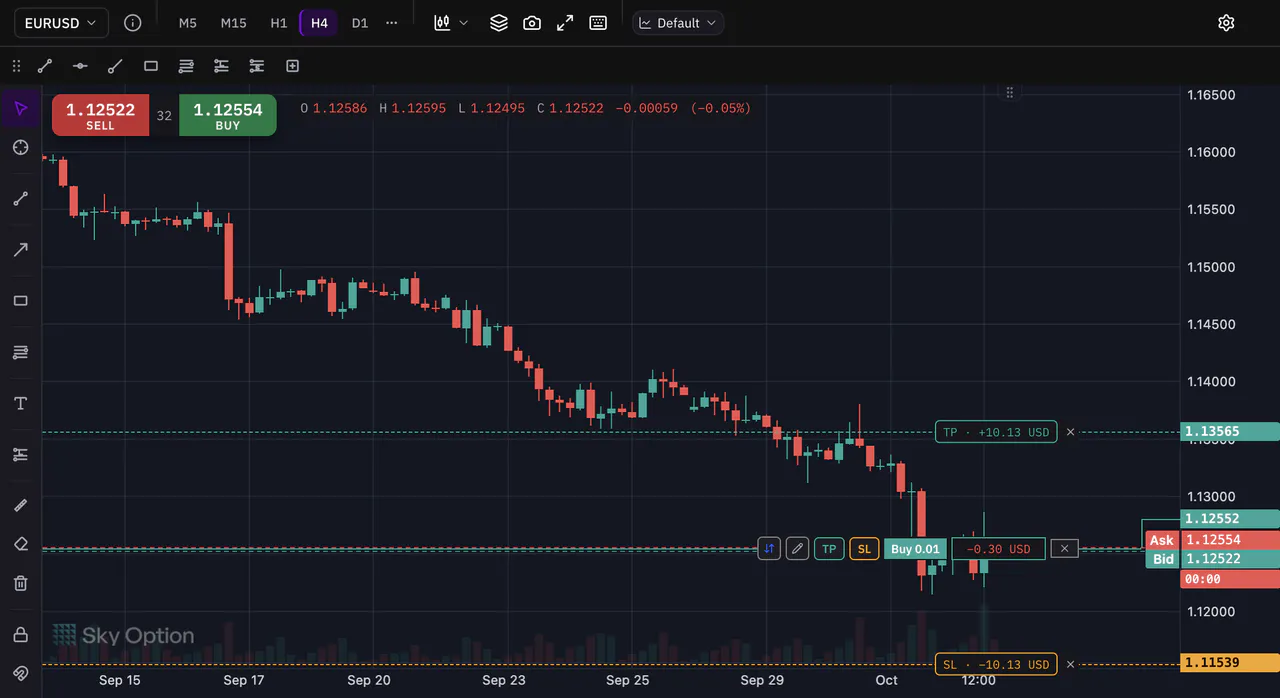
Step 2: Drag the take profit and read the result
Drag the TP label up or down. While you drag, it shows what the trade would make if the price reached that level. Press Confirm to send the new level, or Discard to keep the old one. No take profit yet? Press TP on the entry line to drop one on the chart.
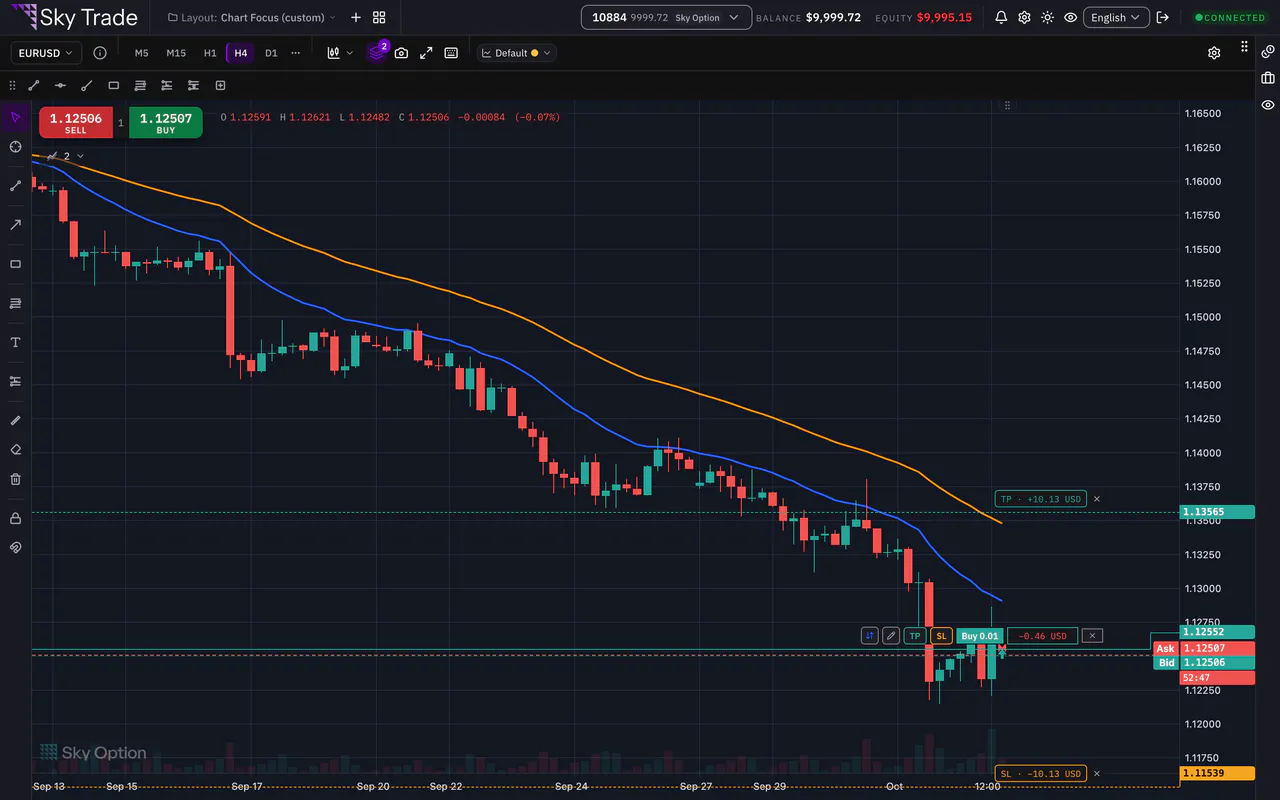
Step 3: Drag the stop loss
Do the same with the SL label: while you drag, it shows what you would lose there. Confirm or Discard. To take a level off, press the small cross beside its label.
Step 4: Move a pending order’s entry
A pending order has its own line with its type and size. Drag its label to a new entry price, then press Confirm. The line only moves on the side its type allows: a Buy Limit stays below the market, for example. Its TP and SL drag the same way, with the result worked out from the entry.
Step 5: See your order on the chart before you send it
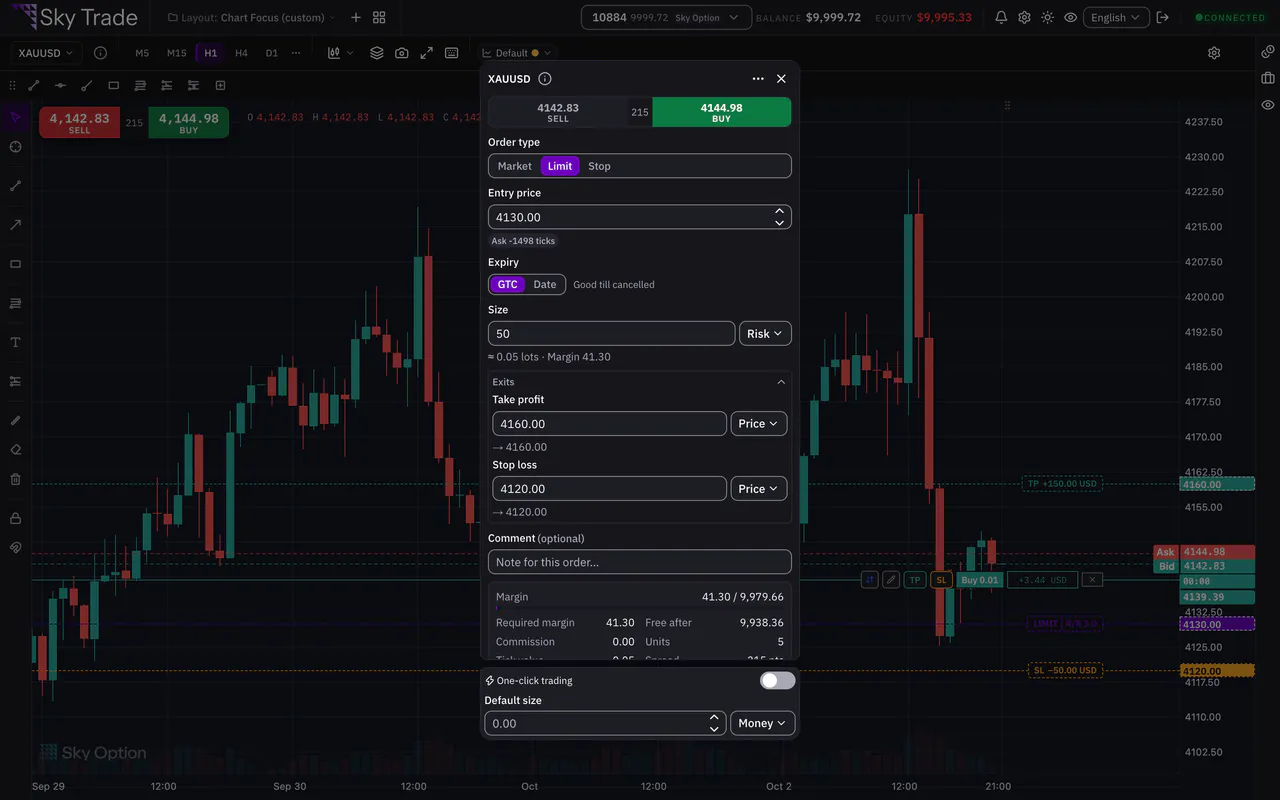
While you fill in the order ticket, the active chart draws your draft: the entry (the expected fill for a market order, the trigger price for a limit or stop order), the take profit and the stop loss, with the money each would make or risk and the reward-to-risk ratio. Drag a draft line and the ticket’s field follows. Nothing is sent until you press the ticket’s Buy or Sell button.


That is the whole guide
You have done every step. Pick what to learn next, or try it on the live chart.
Up next
- Pro
Size a trade by risk
Decide how much you will risk, set your stop loss and let the ticket work out the lots. Then plan with a position tool sized from your balance and leverage.
5 min4 steps - Pro
Share a chart image
Make a clean picture of your chart, with your money hidden unless you choose to show it, or turn one trade, or your week, into a card.
3 min4 steps