
Connect ChatGPT
Sky Connector or Sky Trade Desktop runs OpenAI’s secure tunnel for you. Press “Connect ChatGPT” in Sky Trade, paste two OpenAI Platform values, then add the connection in ChatGPT. No Terminal, on Mac, Windows and Linux.
- Who it is for
- ChatGPT users, free plan included, with an OpenAI Platform account.
- Time
- 5 min
- Steps
- 4 steps
Steps in this guide4 steps
Step 1: Create a tunnel and an API key on the OpenAI Platform
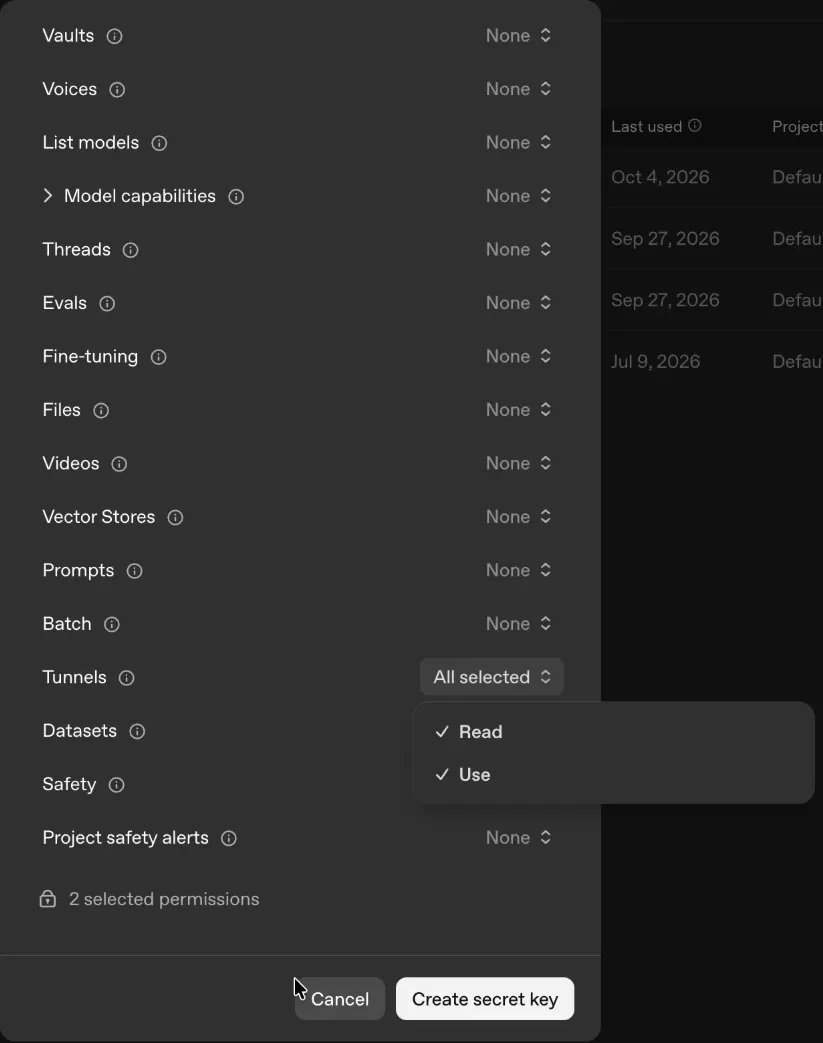
Open the two pages below. On Tunnels, create a tunnel and copy its ID, which starts with tunnel_. On API keys, create a key and give it the Tunnels permission: Read and Use. Make both in the same organization.
Step 2: Press “Connect ChatGPT” and paste them
Open the AI Assistant’s Connection tab. Once Sky Connector or Sky Trade Desktop is connected, the last step, “Connect your AI app”, shows a ChatGPT card after Claude Desktop. Press “Connect ChatGPT”: the app’s ChatGPT window opens. Paste the Tunnel ID and the API key, then choose “Connect”. The first time, it gets OpenAI’s tunnel program, which takes a moment. Then it shows “Connecting…”, which can take up to half a minute, and “Connected”. The key stays on this computer, encrypted; on Linux with no keyring, only until the app quits, and the window says so.
Step 3: Create the Sky Trading plugin in ChatGPT
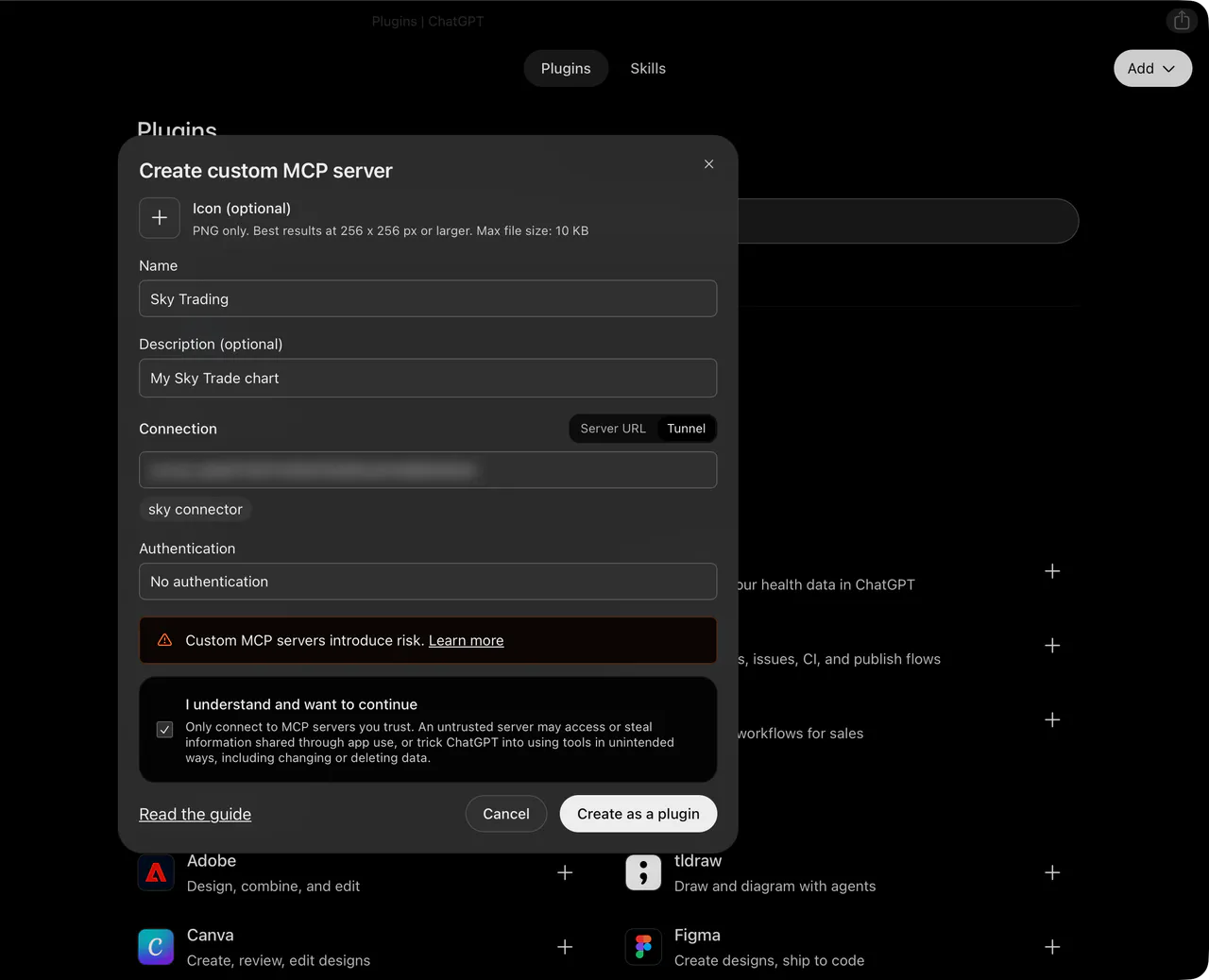
In ChatGPT, open “Plugins” in the sidebar, choose “Add”, then “Create custom MCP server”. Name it Sky Trading. Under “Connection”, choose “Tunnel” and pick your tunnel by its name, or paste its ID (“Copy ID” in the ChatGPT window copies it). Set “Authentication” to “No authentication”, tick “I understand and want to continue”, and choose “Create as a plugin”. Then choose “Connect Sky Trading”.
Step 4: Ask ChatGPT about your chart
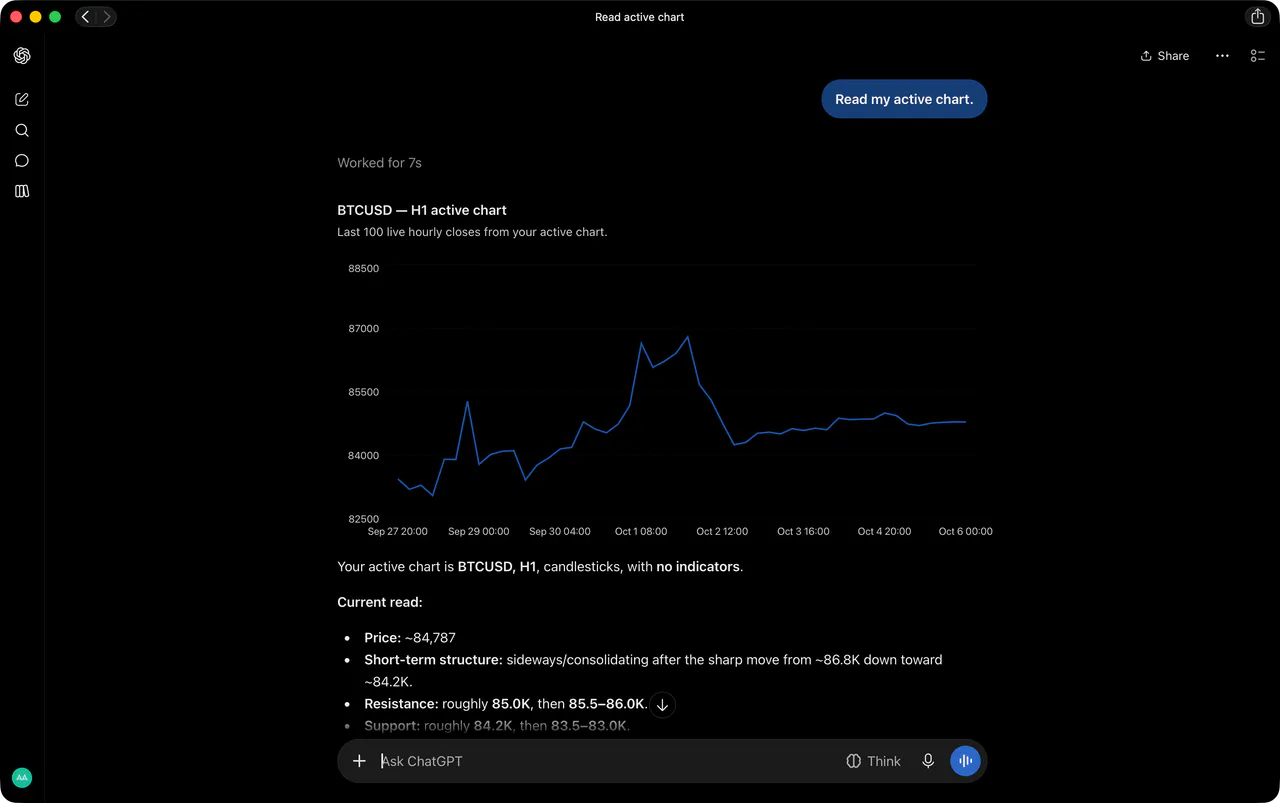
ChatGPT then opens a chat. Ask it, for example, to read your active chart. ChatGPT uses a Sky Trade tool and answers with your chart’s symbol and timeframe. Anything that trades waits for your approval in Sky Trade, unless you chose direct demo trading on a demo account.


That is the whole guide
You have done every step. Pick what to learn next, or try it on the live chart.
Stuck?When your AI app won’t connect
Up next
- Beginner
Stay in control of the AI
The AI stays in check: approval for every real trade, direct demo trading only where you choose it, pause switches, Streamer Mode and a record of what it did.
4 min6 steps - Beginner
Install Sky Connector
Link the AI app on your computer to Sky Trade in your browser: install Sky Connector, turn on AI access in the web app, and allow the pairing.
4 min4 steps