
Talk to your AI app from inside Sky Trade
Connected Claude Desktop, Claude Code or Cursor? Send it one start message, then chat with it in the Chat tab without leaving the trading screen.
- Who it is for
- Traders who have already connected an AI app on their computer.
- Time
- 3 min
- Steps
- 5 steps
Steps in this guide5 steps
Step 1: Open the Chat tab
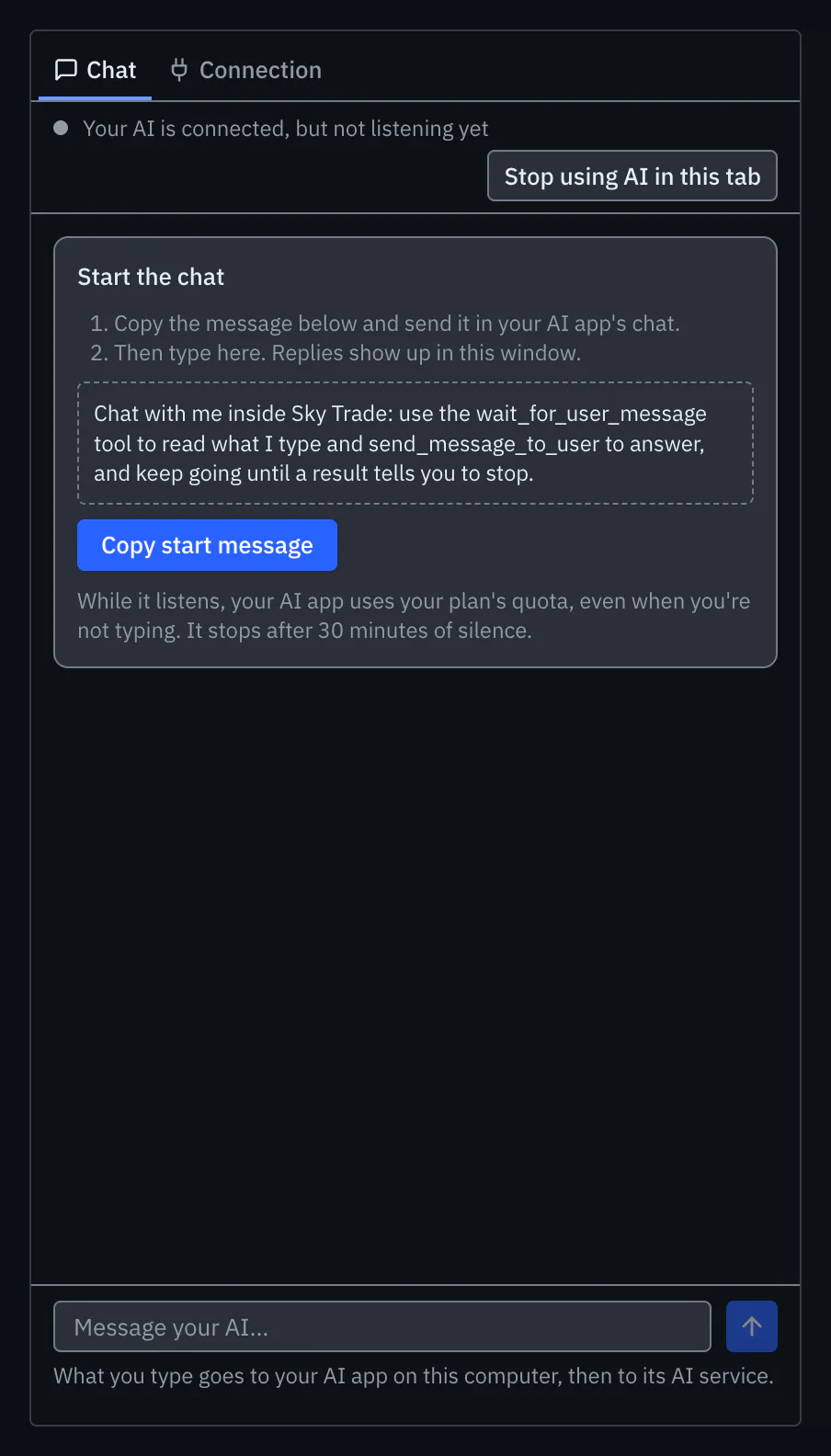
Open the AI Assistant, choose “Use your own AI app”, and open the Chat tab. If your AI app is not connected yet, the tab sends you to the Connection tab first.
Step 2: Copy the start message
Under “Start the chat”, press “Copy start message”. The message asks your AI app to read what you type in the Chat tab and to answer there.
Step 3: Send it in your AI app, once
Paste the message into your AI app’s chat box and send it. Use the same app you connected, not a chat in your browser. The Chat tab then shows that your app is listening. While it listens, your AI app keeps a request open, which uses your AI plan’s quota even when you are not typing; it stops by itself after a quiet spell.
Step 4: Talk from inside Sky Trade
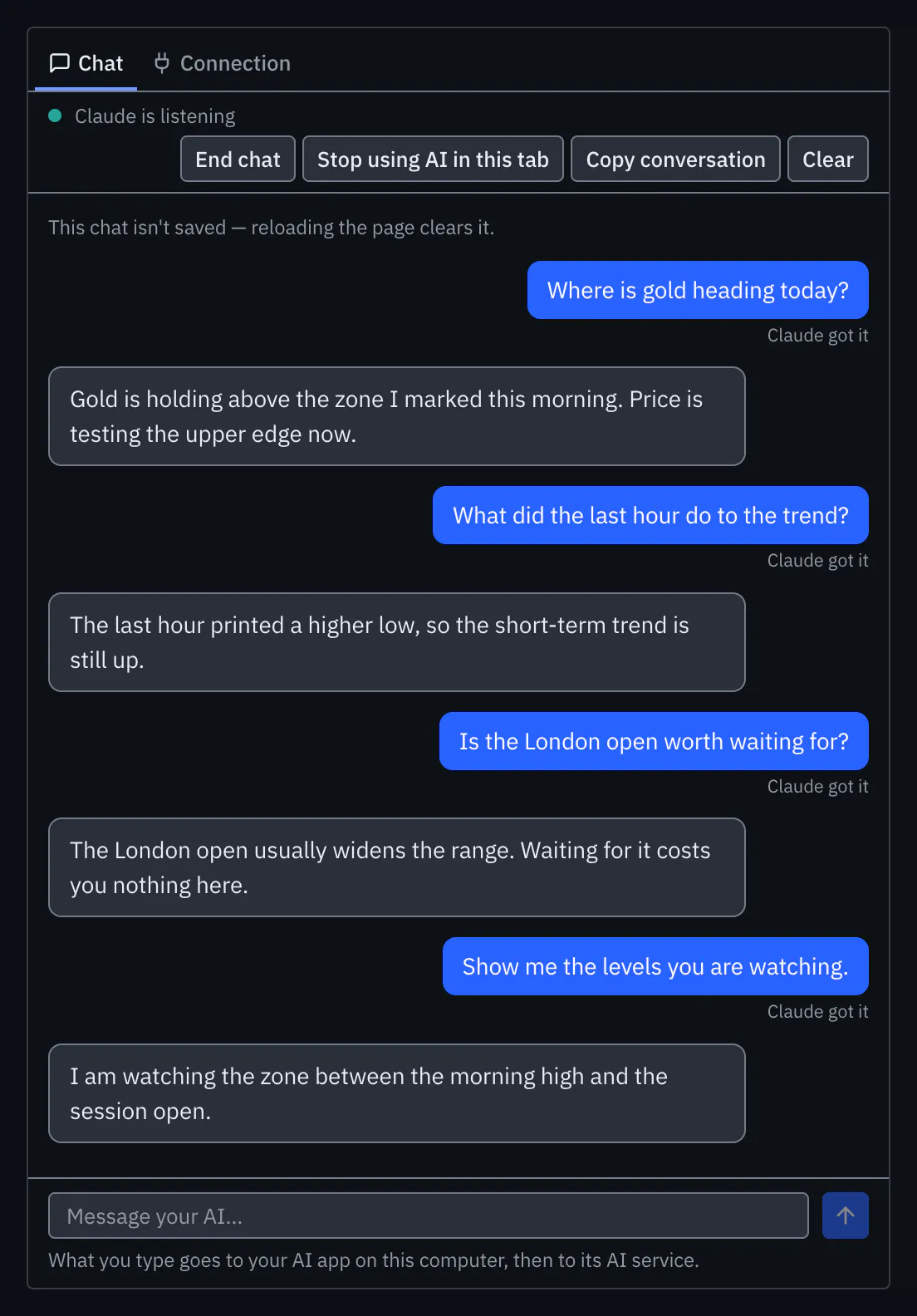
Type in the Chat tab and the replies appear there. Short labels show which tools your AI app used, in plain words. If the AI voice is on, replies are read aloud.
Step 5: End the chat
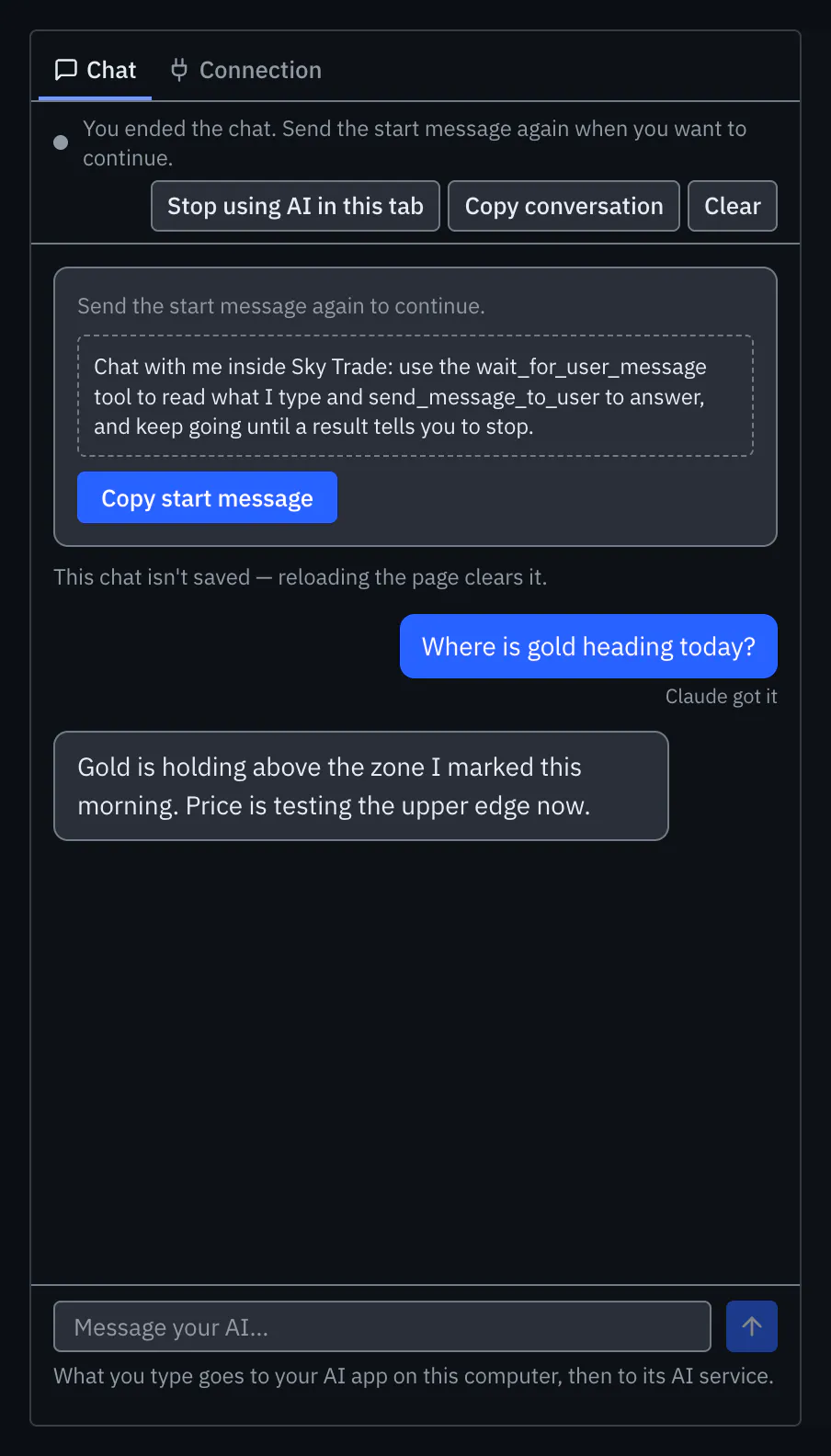
Press “End chat” when you are done. Your AI app is told to stop listening and stops using your plan’s quota. To carry on later, send the start message again.


That is the whole guide
You have done every step. Pick what to learn next, or try it on the live chart.
Stuck?When your AI app won’t connect
Up next
- Beginner
Hear the AI’s replies
Turn on the AI voice and the AI reads its replies aloud, an Arabic reply in an Arabic voice, so your eyes can stay on the chart.
2 min3 steps - Beginner
Stay in control of the AI
The AI stays in check: approval for every real trade, direct demo trading only where you choose it, pause switches, Streamer Mode and a record of what it did.
4 min6 steps - Beginner
Install Sky Connector
Link the AI app on your computer to Sky Trade in your browser: install Sky Connector, turn on AI access in the web app, and allow the pairing.
4 min4 steps