
Practise with Trading Lab
Replay real past prices on the chart and trade them with a paper account. No real order is ever sent, and a scorecard shows how you did.
- Who it is for
- Anyone who wants to practise, or test an idea, without risking money.
- Time
- 6 min
- Steps
- 6 steps
Steps in this guide6 steps
Step 1: Start a replay
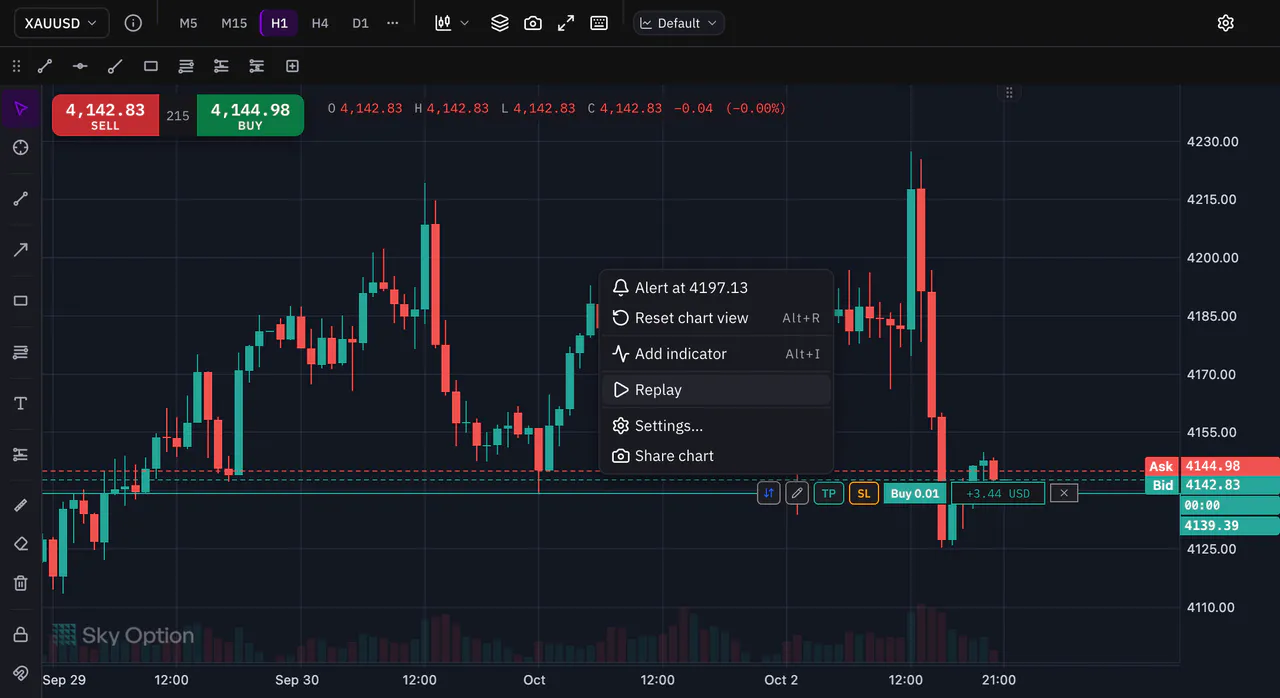
Right-click the chart and choose Replay. Trading Lab opens on this chart, with its symbol and timeframe.
Step 2: Choose where to start
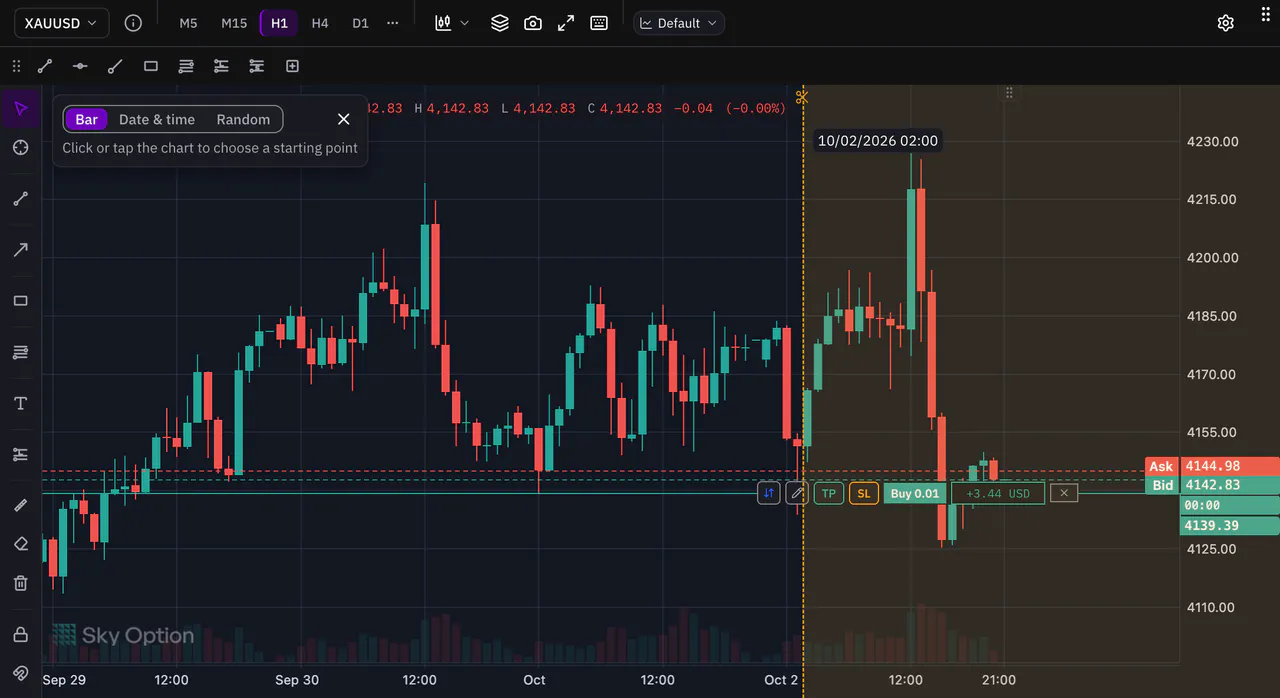
Pick how to choose the start. Bar: click a candle on the chart. Date & time: enter a date and press Choose this start. Random: give a period and press Pick a random start.
Step 3: Set up your paper account
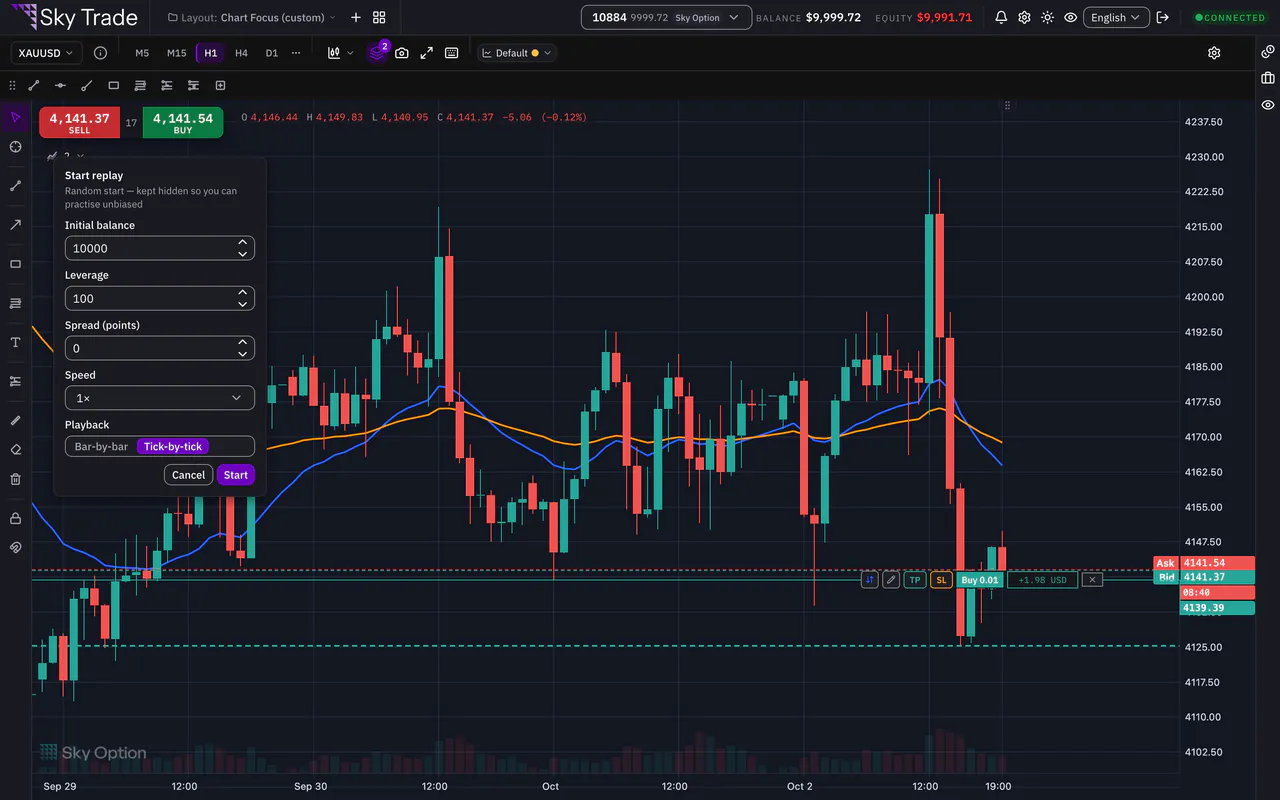
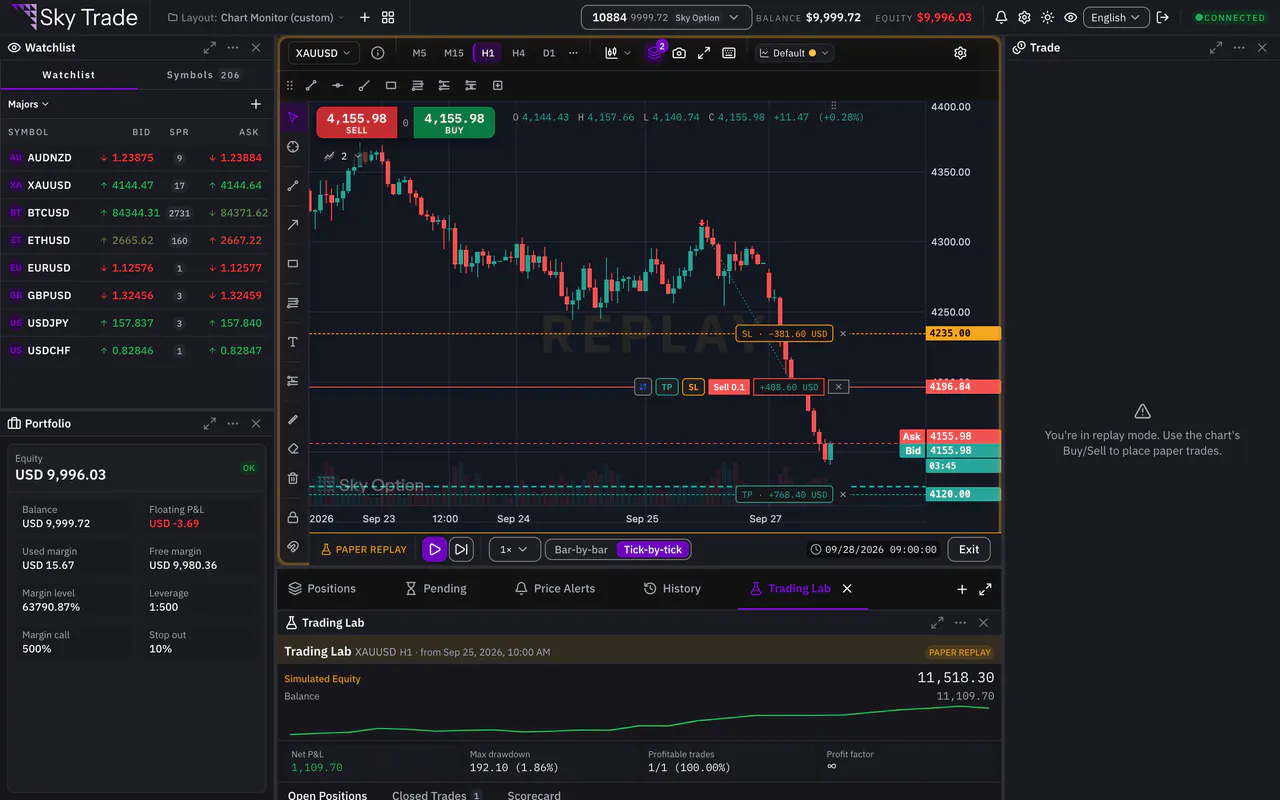
Before the replay begins, set the Initial balance, the Leverage and the Spread (points). Choose the Speed and the Playback, Bar-by-bar or Tick-by-tick, then press Start.
Step 4: Play, pause and change the speed
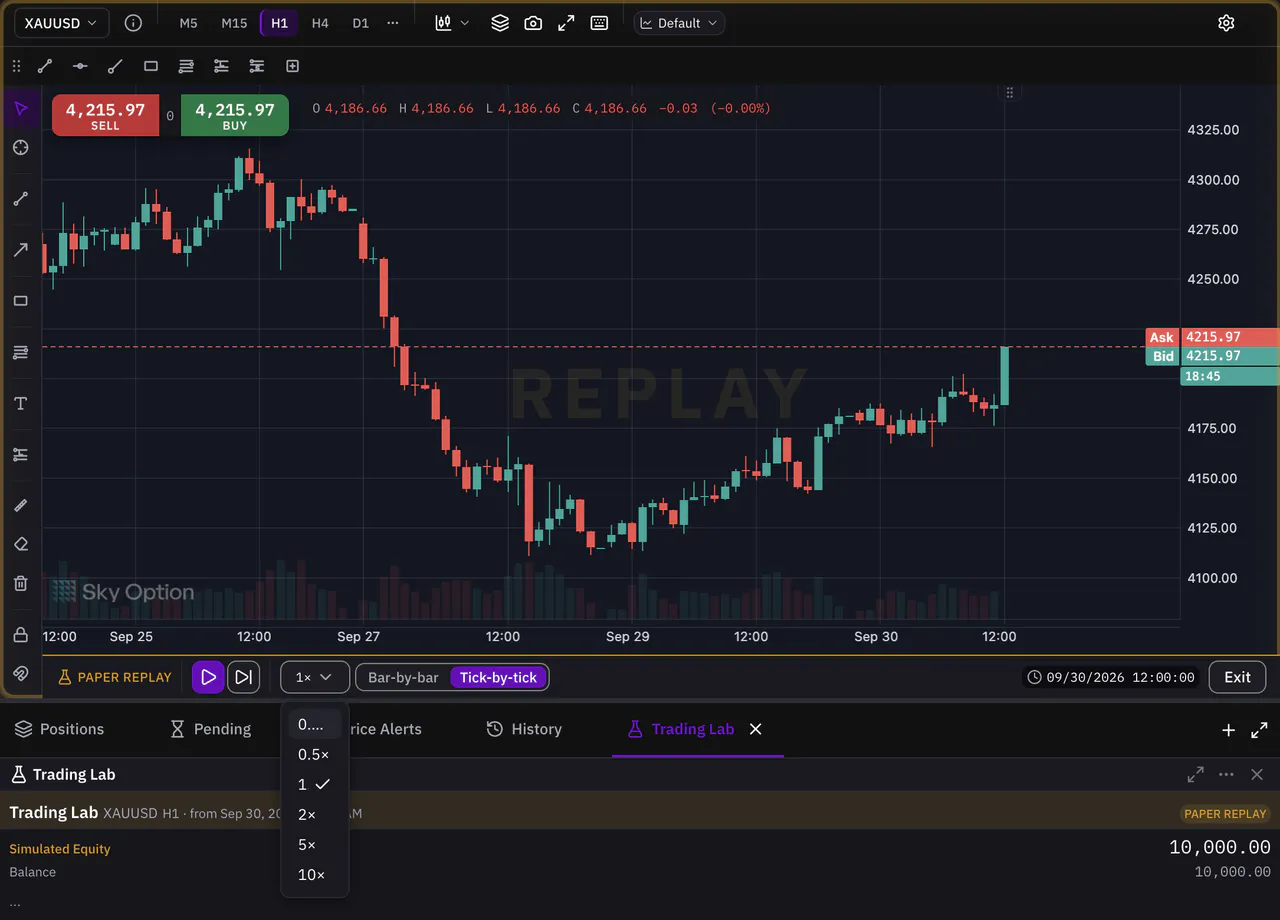
Use the control bar on the chart: Play and Pause, Step to move one candle at a time while paused, and Speed to choose one of 6 speeds.
Step 5: Place a paper trade
Press Buy or Sell on the chart, just as you would live. The same order ticket opens, with take-profit, stop-loss and pending orders, but the trade goes to your paper account.
Step 6: End the session and read your scorecard
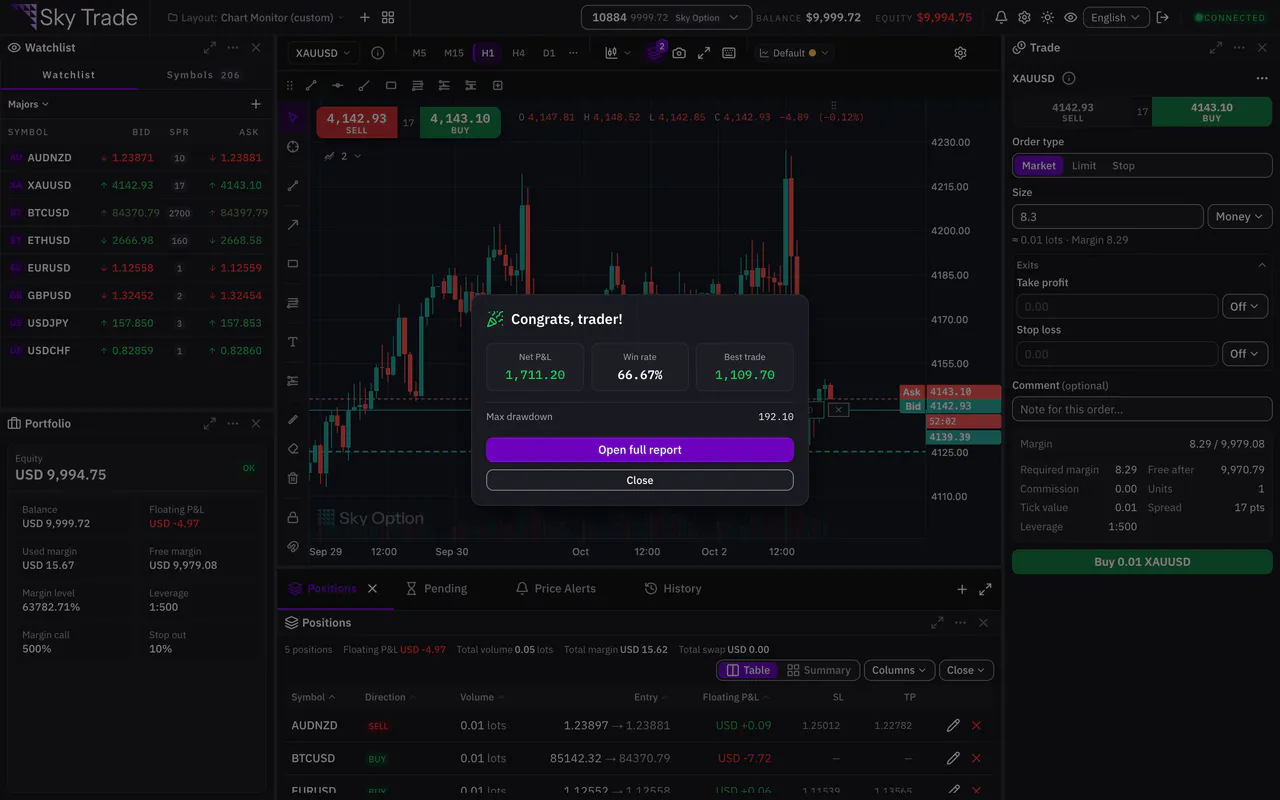
Press Exit when you are done, or let the replay reach its end. A results card shows your net P&L, win rate and max drawdown. Press Open full report for the Scorecard in the Trading Lab panel: trades, profit factor, average win and loss, expectancy and more.


That is the whole guide
You have done every step. Pick what to learn next, or try it on the live chart.
Up next
- Beginner
Place your first trade on your demo account
Open a market order from the chart with a take-profit and a stop-loss, follow it on the chart, change it and close it, all on your demo account.
6 min7 steps - Pro
Trade from the chart
Move your take profit, stop loss and pending entries by dragging them on the chart, and see what the trade would make or lose before you confirm.
6 min5 steps - Beginner
Change the look and the language
Pick a theme, the spacing and the text size you like, switch between English and Arabic, and colour your chart.
3 min5 steps