
Place your first trade on your demo account
Open a market order from the chart with a take-profit and a stop-loss, follow it on the chart, change it and close it, all on your demo account.
- Who it is for
- New traders, on a demo account, before they trade real money.
- Time
- 6 min
- Steps
- 7 steps
Steps in this guide7 steps
Step 1: Check that you are on your demo account
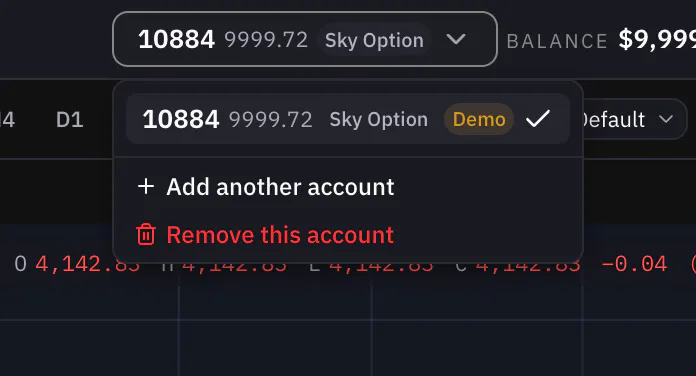
In the header, open the account menu. The account you are on is marked Demo or Real in the menu. Make sure it says Demo before you go on.
Step 2: Open the order ticket
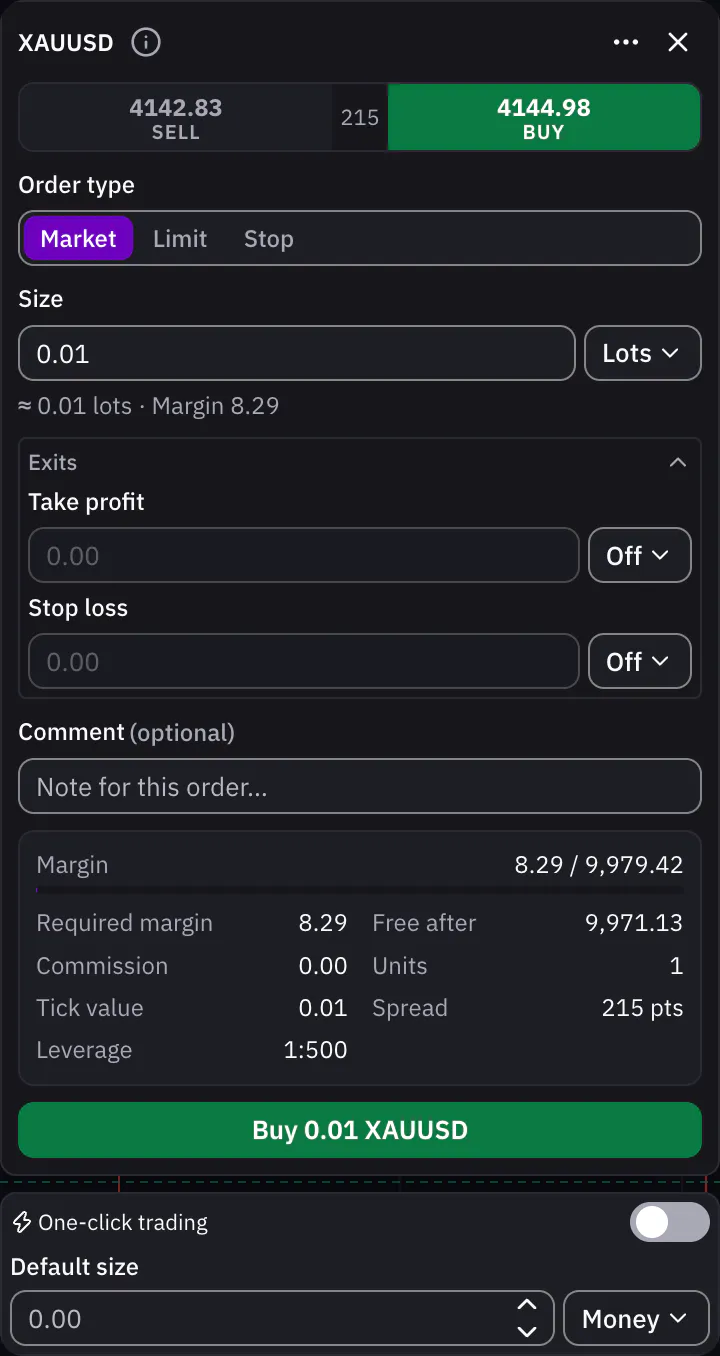
On the chart, press Buy. The order ticket opens with Buy chosen. Leave the order type on Market, which fills now at the current price. Then choose how to size the trade, Money, Lots or Risk, and type the amount.
Step 3: Set a take-profit and a stop-loss
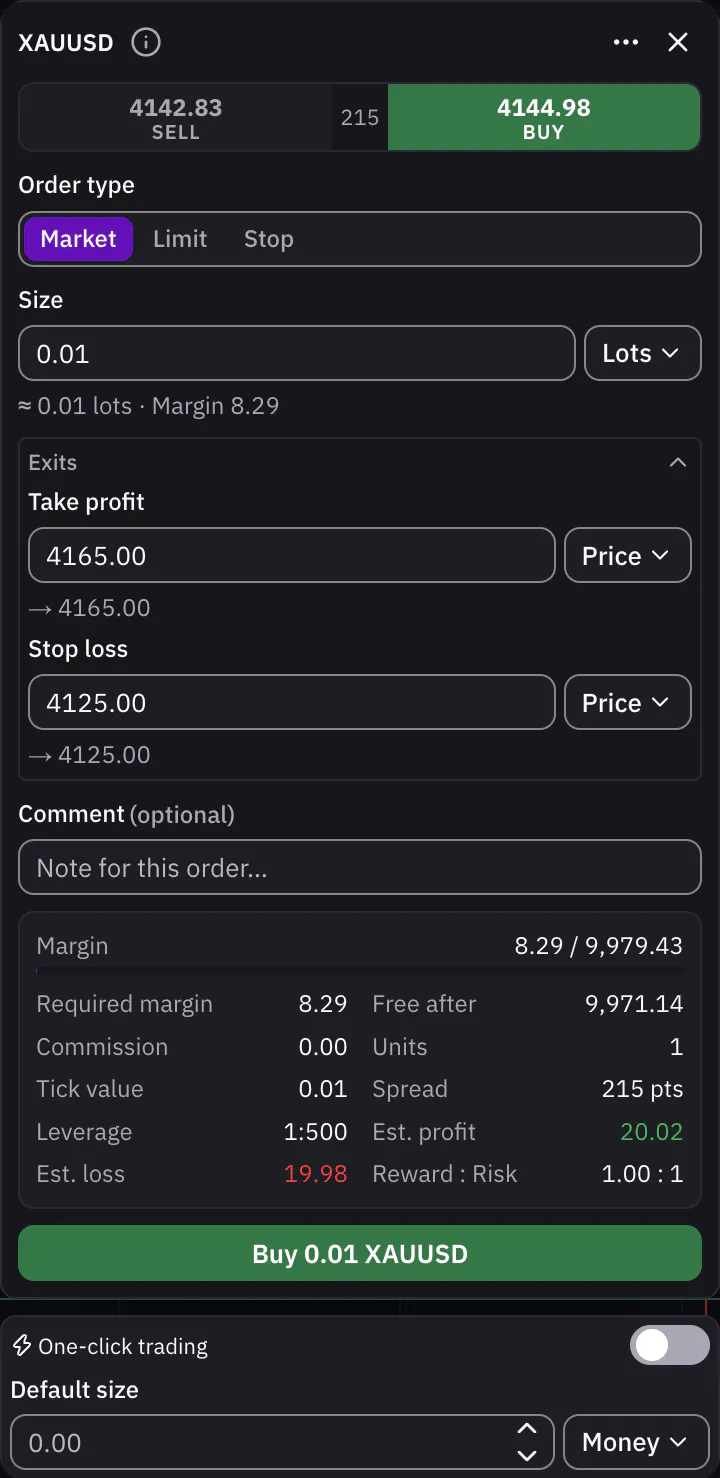
Under Exits, set Take profit and Stop loss. Each one can be a Price, a distance in Ticks, a %, or an amount of Money; Off leaves it out. The ticket checks your levels against the broker’s rules and, if one breaks them, names the field to fix.
Step 4: Press Buy
Check the button at the bottom of the ticket: it shows the side, the size and the symbol. Press it to send the order.
Step 5: See your position
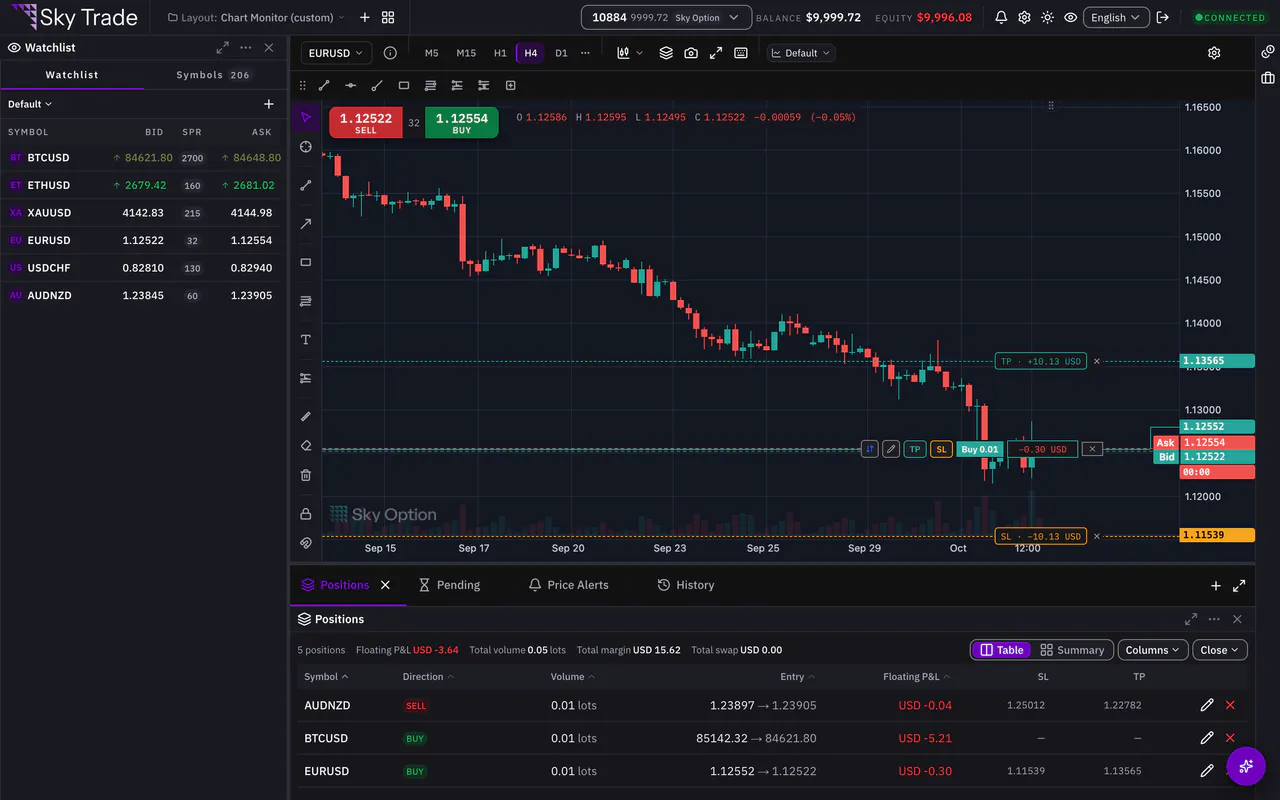
Your trade appears in the Positions tab under the chart, with its live profit or loss. On the chart, a line marks your entry, with your take-profit and stop-loss lines beside it.
Step 6: Drag the take-profit or stop-loss
Drag the take-profit or stop-loss line on the chart to a new price. While you drag, it shows what you would make or lose at that level. Press Confirm to apply the change, or Discard to keep the old level.
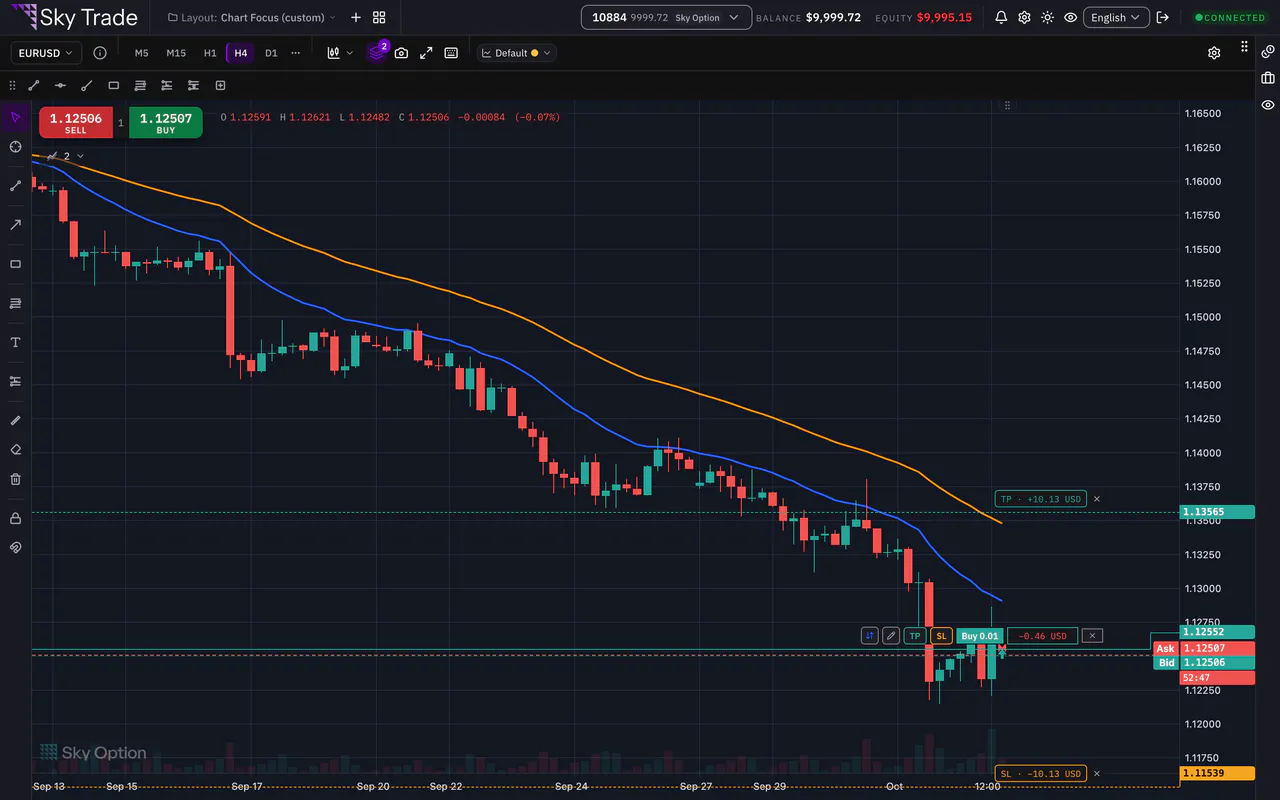
Step 7: Close the position
Press Close on the position’s row in the Positions tab, or the Close position button on its line on the chart. Sky Trade asks first: press Close position to confirm.


That is the whole guide
You have done every step. Pick what to learn next, or try it on the live chart.
Up next
- Beginner
Set a price alert
Get told when the price reaches your level, even while you watch another symbol.
3 min5 steps - Beginner
Practise with Trading Lab
Replay real past prices on the chart and trade them with a paper account. No real order is ever sent, and a scorecard shows how you did.
6 min6 steps - Pro
Trade from the chart
Move your take profit, stop loss and pending entries by dragging them on the chart, and see what the trade would make or lose before you confirm.
6 min5 steps