
Set a price alert
Get told when the price reaches your level, even while you watch another symbol.
- Who it is for
- Traders who do not want to watch the screen all day.
- Time
- 3 min
- Steps
- 5 steps
Steps in this guide5 steps
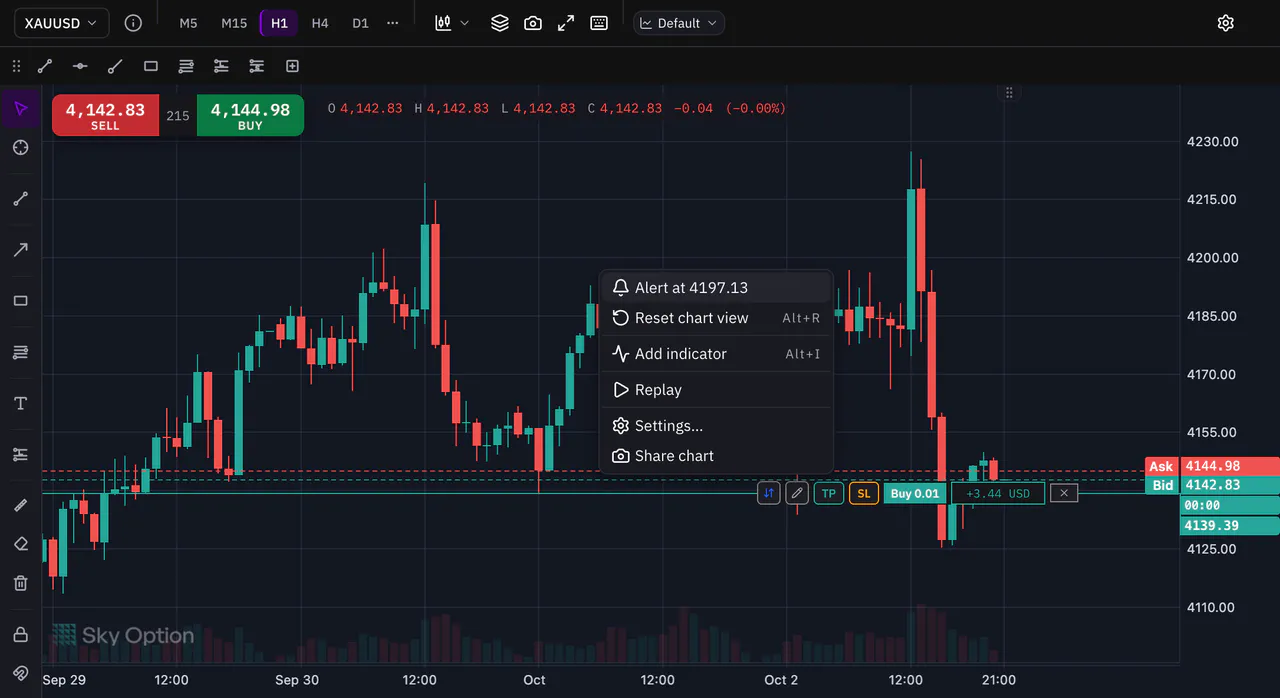
Step 1: Right-click the price you care about
Right-click the chart at the price you want, then choose Alert at, followed by that price. The alert is set at once.
Step 2: Above or below
Sky Trade picks the direction for you. An alert above the latest price waits for the price to rise to it, and is marked Above. One below waits for a fall, and is marked Below. An alert never goes off the moment you create it.
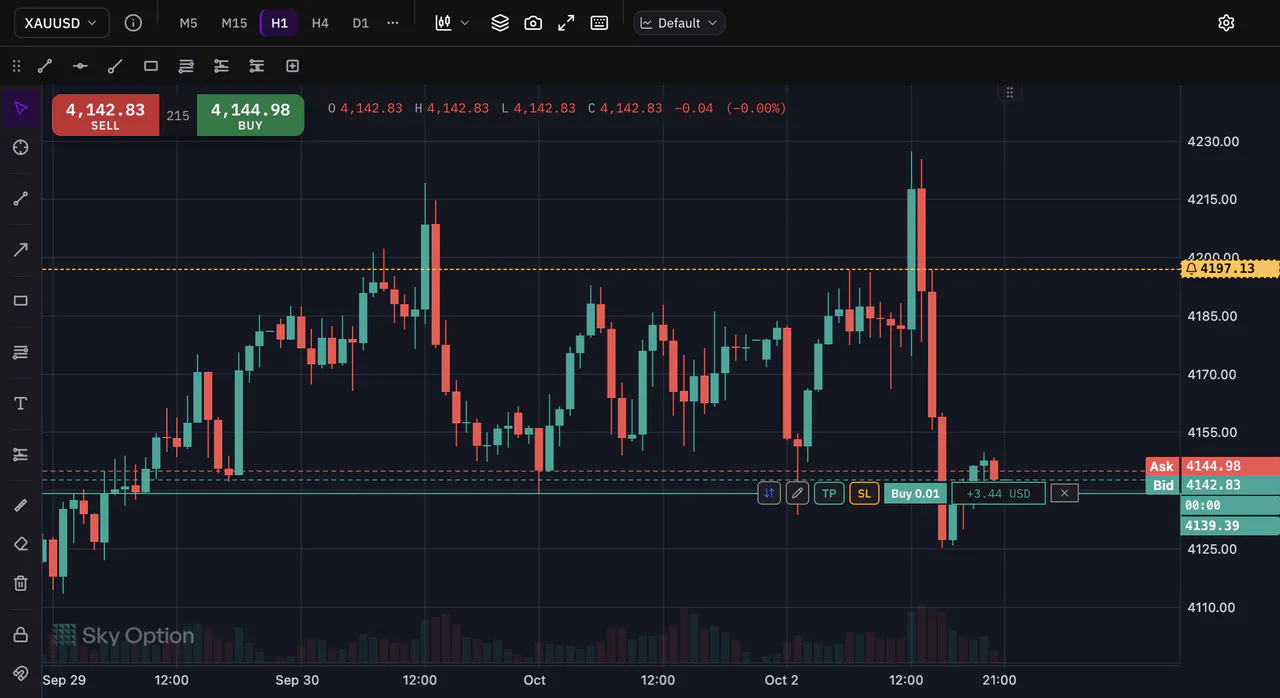
Step 3: Drag the alert to a new price
Your alert shows on the chart as a line with a bell. Drag the bell up or down to move the alert to a new level.
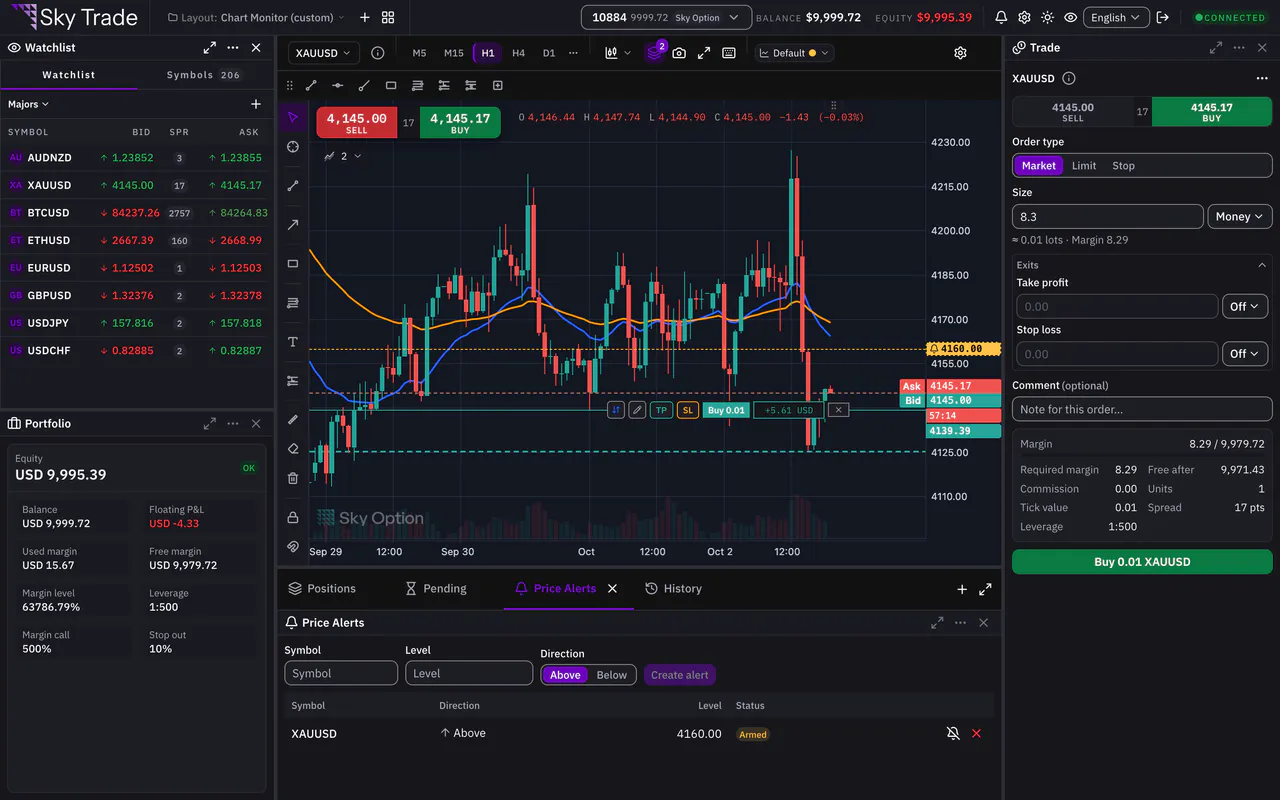
Step 4: See all your alerts
Open the Price Alerts tab under the chart. It lists every alert with its symbol, direction and level. Mute pauses an alert, and Delete alert removes it, with Undo in case you change your mind.
Step 5: When the price gets there
When the price crosses your level, the alert goes off once and shows as Triggered. The Events bell in the header lists it, and you hear a chime if Execution sound is on in Chart Settings, under Trading. Press Re-arm to use the alert again.


That is the whole guide
You have done every step. Pick what to learn next, or try it on the live chart.
Up next
- Beginner
Practise with Trading Lab
Replay real past prices on the chart and trade them with a paper account. No real order is ever sent, and a scorecard shows how you did.
6 min6 steps - Beginner
Hide your money with Streamer Mode
Share your screen or stream your trading without showing your account number, your money or your lot sizes.
2 min4 steps