
Read your trading history
Turn History into a picture of how you trade: your real growth, drawdown, habits and good and bad days, beside every trade, deposit and withdrawal.
- Who it is for
- Traders who want to learn from their own trades.
- Time
- 5 min
- Steps
- 4 steps
Steps in this guide4 steps
Step 1: Open History
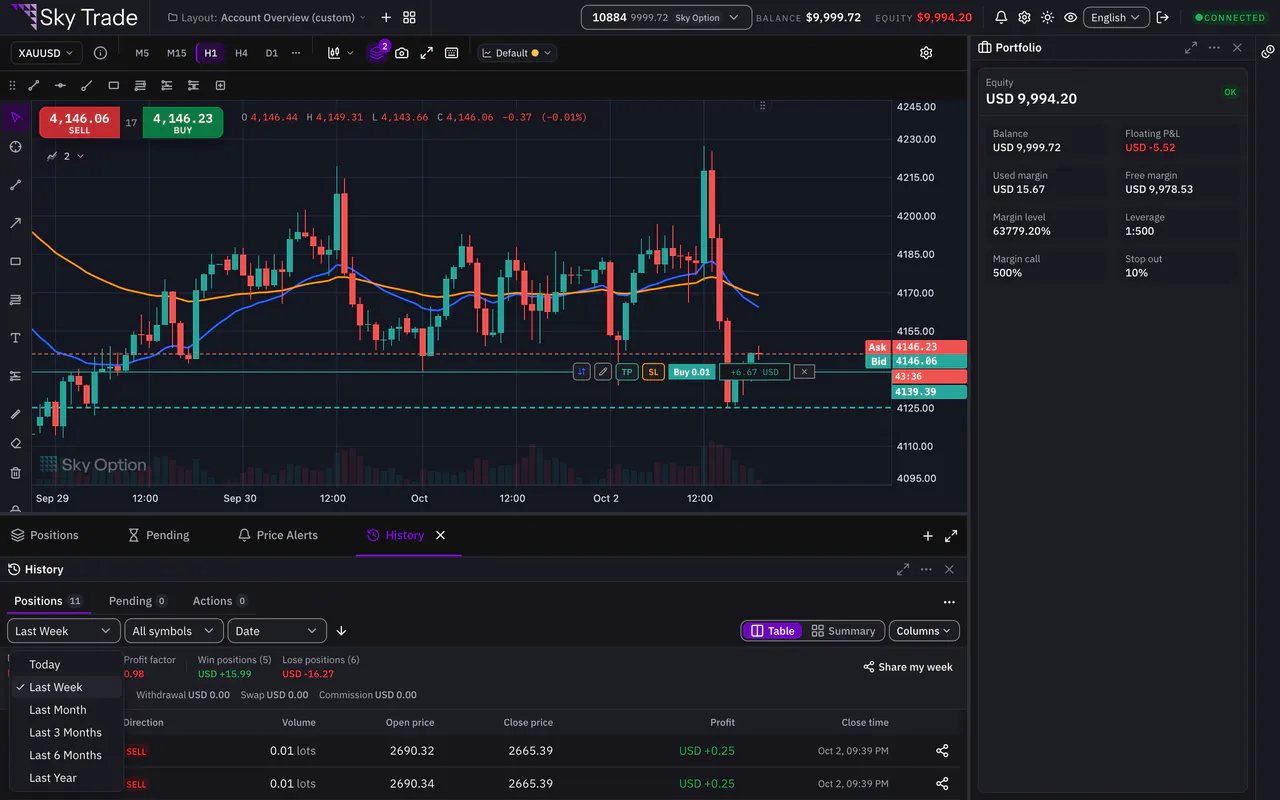
Open the History tab. Positions lists your closed trades; choose the period and, if you like, one symbol. History refreshes by itself when a trade opens, closes, fills or is cancelled.
Step 2: Switch to Summary
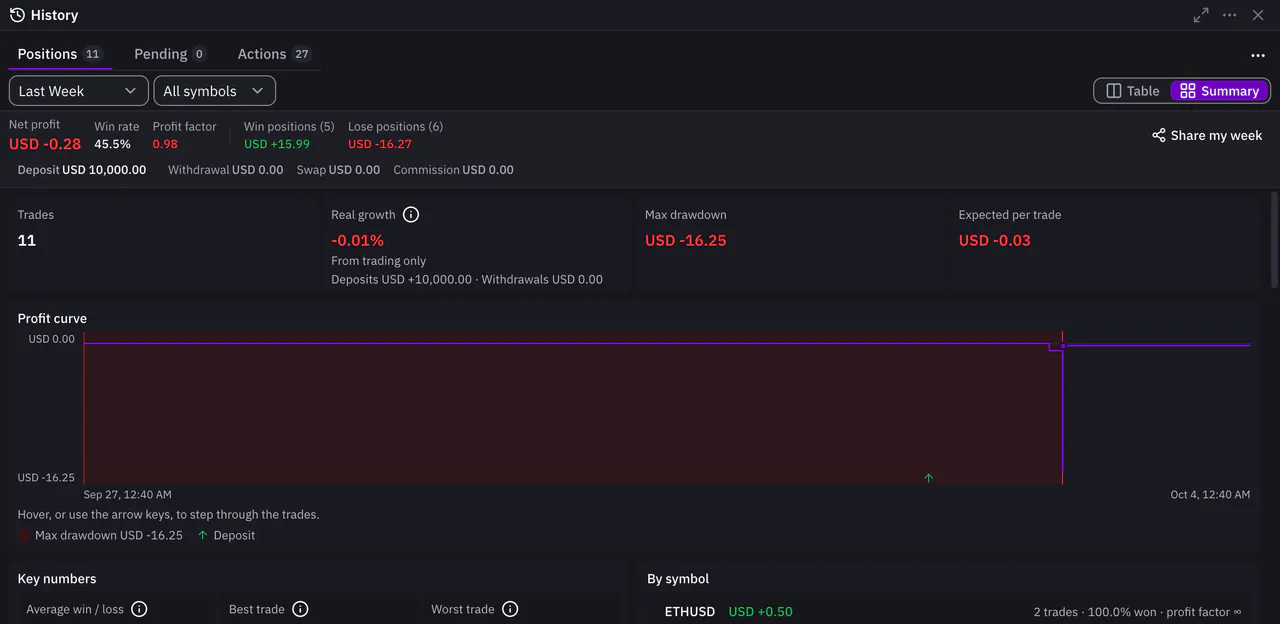
On the Positions tab, switch from Table to Summary. Overview gives the number of trades, your real growth, the max drawdown and the expected profit per trade. Real growth counts trading only, so money you added never counts as growth.
Step 3: See deposits and withdrawals in the list
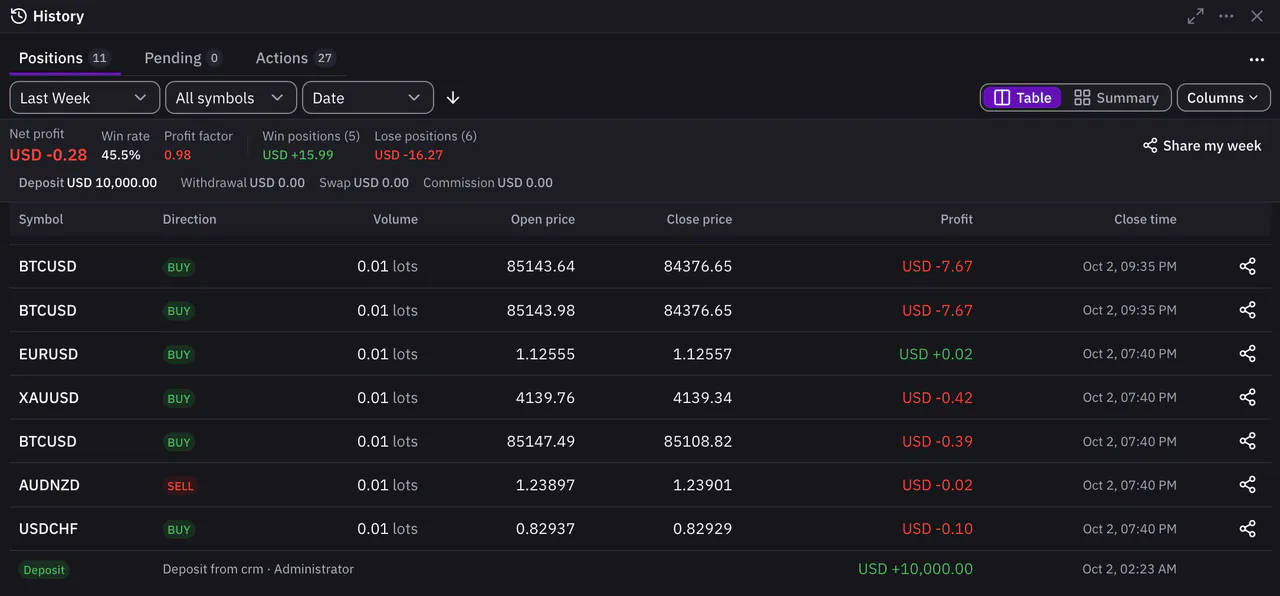
In Table, deposits, withdrawals and credit sit between your trades by date, each with its badge and its amount in the Profit column. Press the Deposit or Withdrawal total in the summary line to show only those rows; press it again to show everything. They are in Export CSV too.
Step 4: Choose your columns
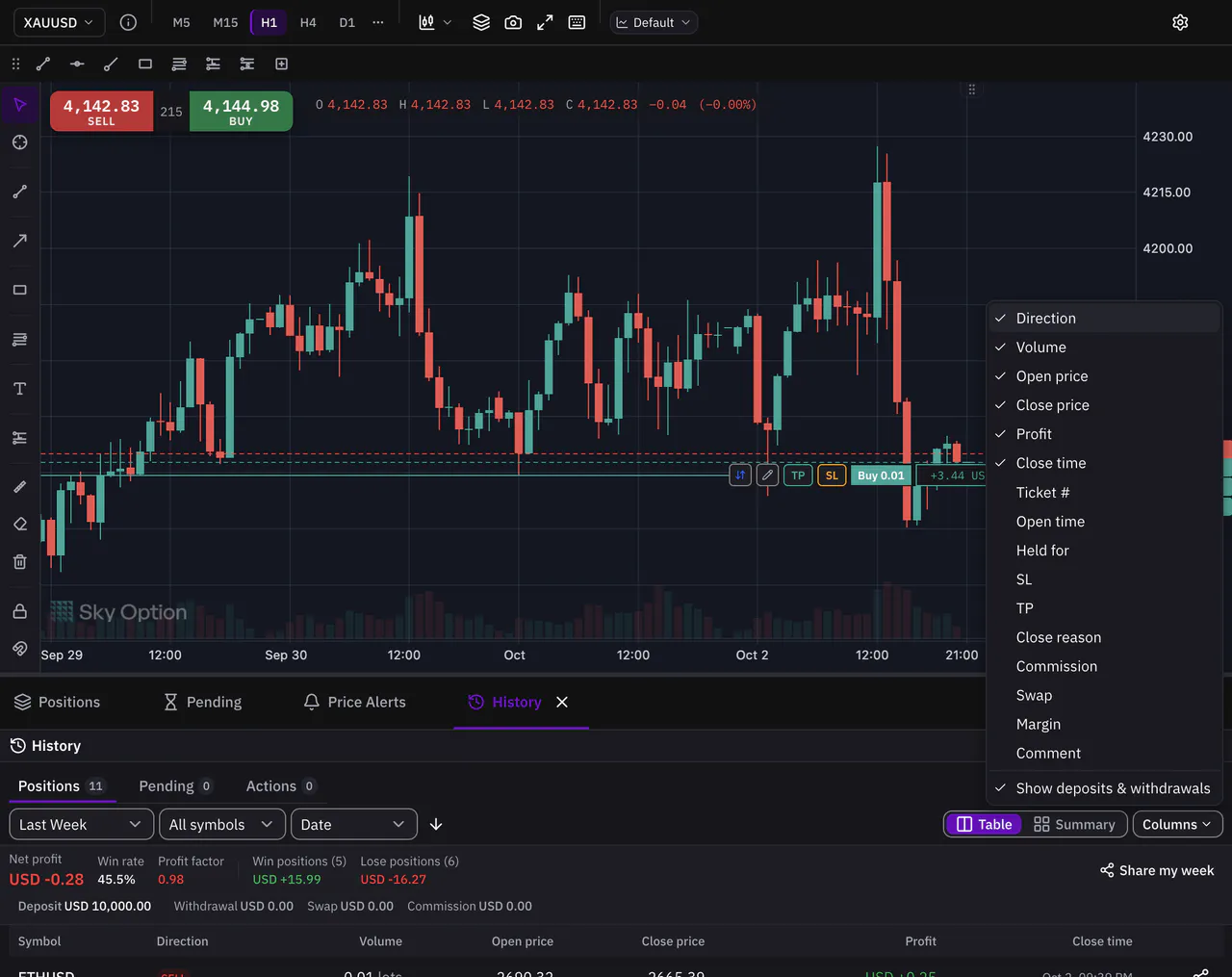
Open Columns and tick what you want to see. For closed positions you can add, for example, the ticket number, the open time, how long you held, SL, TP, the close reason, commission, swap, margin and your comment. Show deposits & withdrawals is there too.


That is the whole guide
You have done every step. Pick what to learn next, or try it on the live chart.
Up next
- Pro
Share a chart image
Make a clean picture of your chart, with your money hidden unless you choose to show it, or turn one trade, or your week, into a card.
3 min4 steps - Pro
Size a trade by risk
Decide how much you will risk, set your stop loss and let the ticket work out the lots. Then plan with a position tool sized from your balance and leverage.
5 min4 steps