
Build your watchlists
Add the symbols you follow, keep a list for each market or idea, and switch between your lists.
- Who it is for
- Traders who follow more than a handful of symbols.
- Time
- 3 min
- Steps
- 4 steps
Steps in this guide4 steps
Step 1: Add a symbol
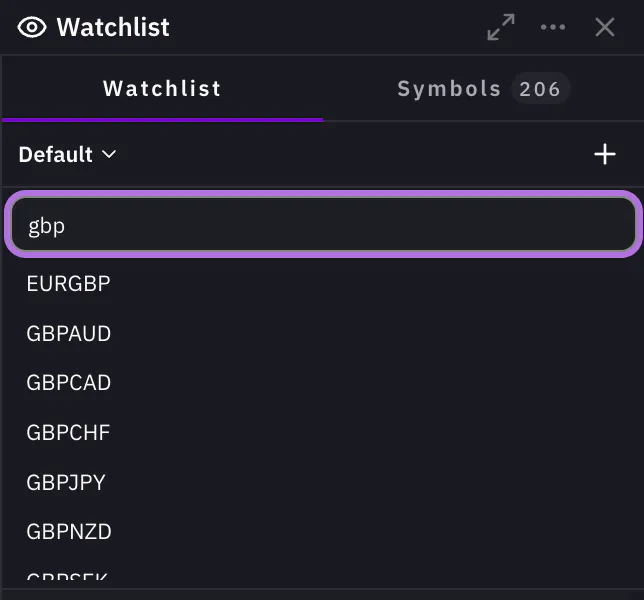
At the top of the watchlist, press the plus button, Add Symbol. Type a few letters in Search symbols… and click the symbol you want. It joins the list with its live Bid, Ask and spread. Click any row to open that symbol on the chart.
Step 2: Create a new list
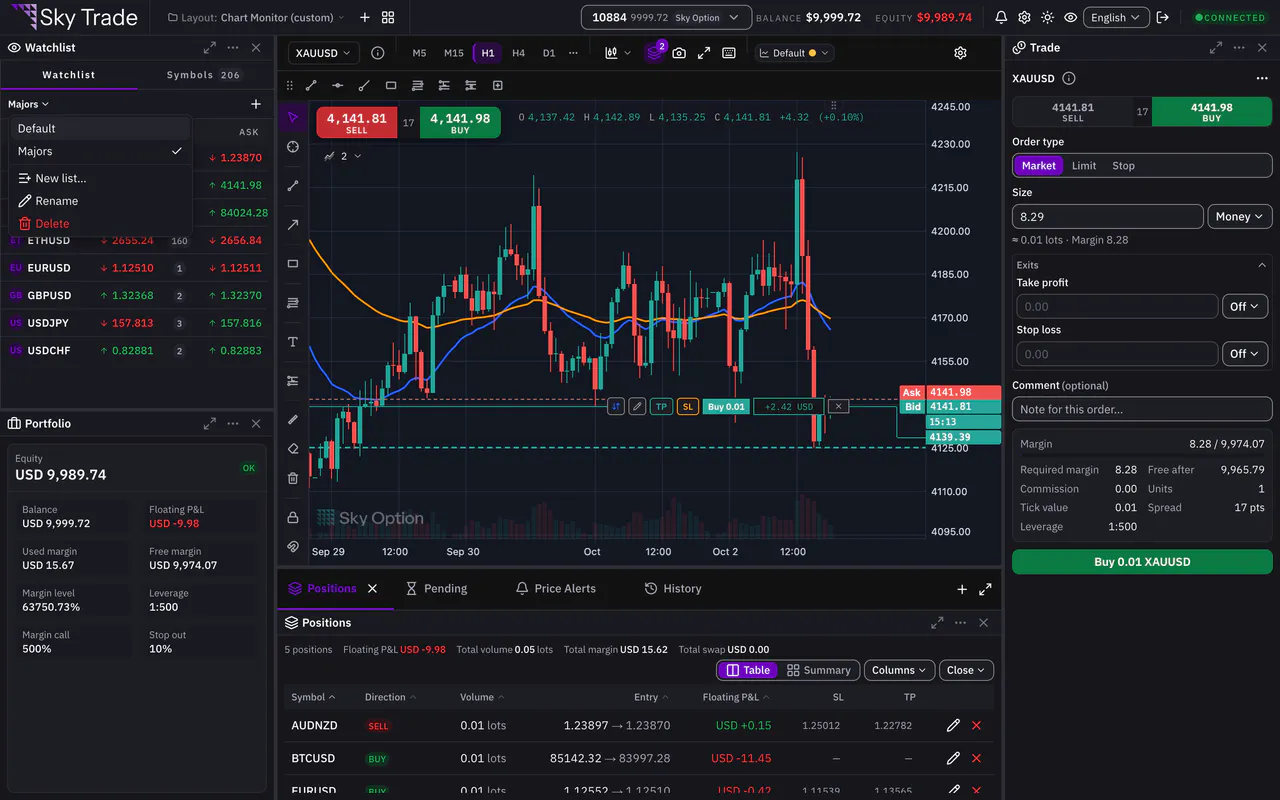
Click the list’s name at the top of the watchlist to open its menu. Choose New list…, type a name and press Create. The new list opens, ready for its first symbols.
Step 3: Rename and switch lists
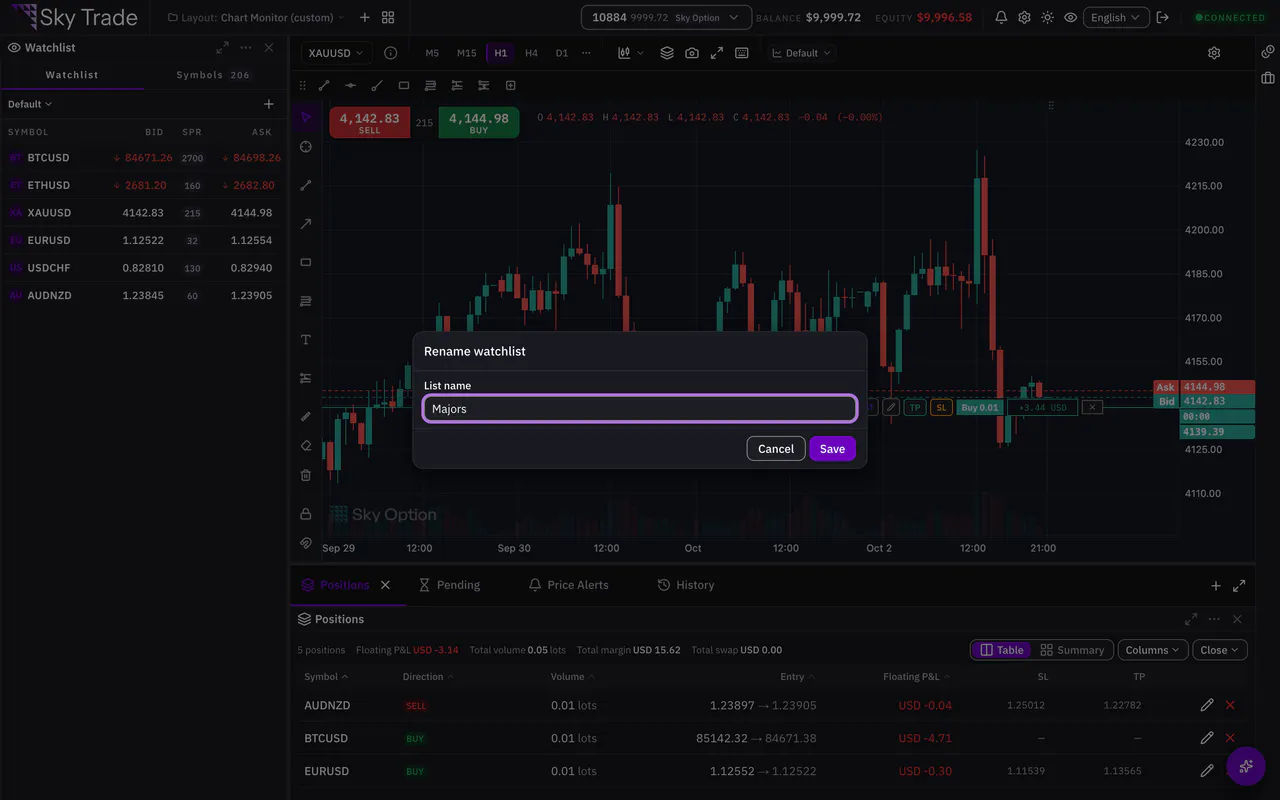
In the same menu, choose Rename, type the new name and press Save. To switch, open the menu and click another list: the watchlist shows its symbols at once.
Step 4: Remove a symbol
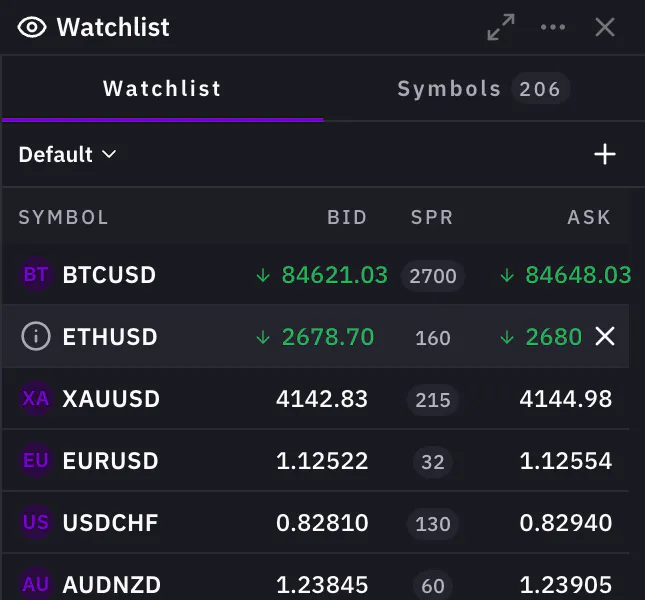
Point at the symbol in the list and press the small Remove from watchlist button at the end of its row.


That is the whole guide
You have done every step. Pick what to learn next, or try it on the live chart.
Up next
- Beginner
Set a price alert
Get told when the price reaches your level, even while you watch another symbol.
3 min5 steps - Beginner
Place your first trade on your demo account
Open a market order from the chart with a take-profit and a stop-loss, follow it on the chart, change it and close it, all on your demo account.
6 min7 steps