
Feed one indicator into another
Smooth RSI with a moving average, or run RSI on the MACD histogram: pick another indicator’s line as the Source. 11 indicators have one, with no scripting.
- Who it is for
- Traders who smooth, filter or combine their indicators.
- Time
- 4 min
- Steps
- 4 steps
Steps in this guide4 steps
Step 1: Add RSI
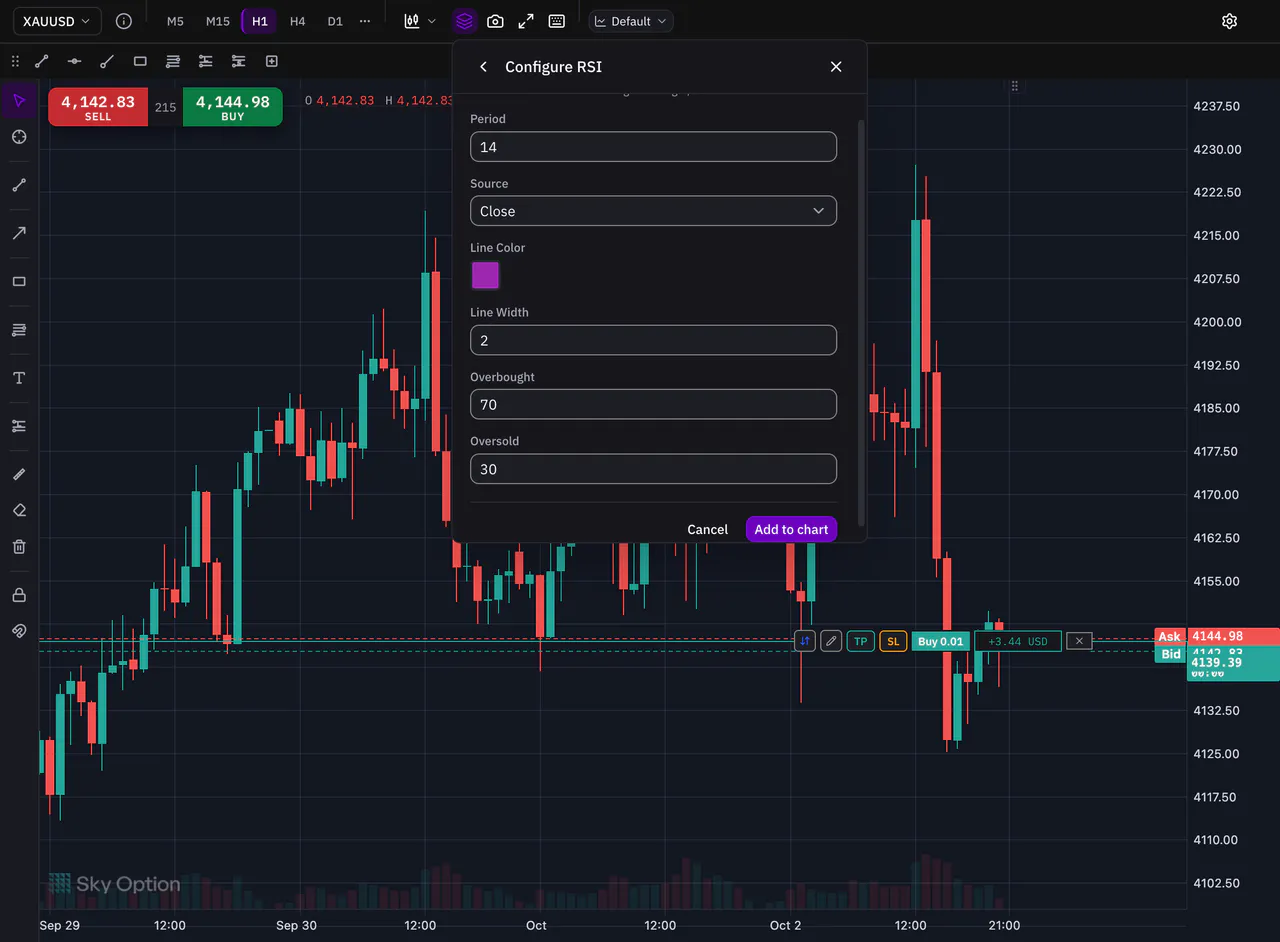
Press Indicators in the chart’s toolbar (or Alt+I or OptionI on a Mac), search for RSI and pick it. Its settings open first: keep them or change them, then press Add to chart. RSI opens in its own pane below the price.
Step 2: Pick a moving average
Open Indicators again and pick SMA (Simple Moving Average). Its settings open before it is added to the chart.
Step 3: Set its Source to the RSI line
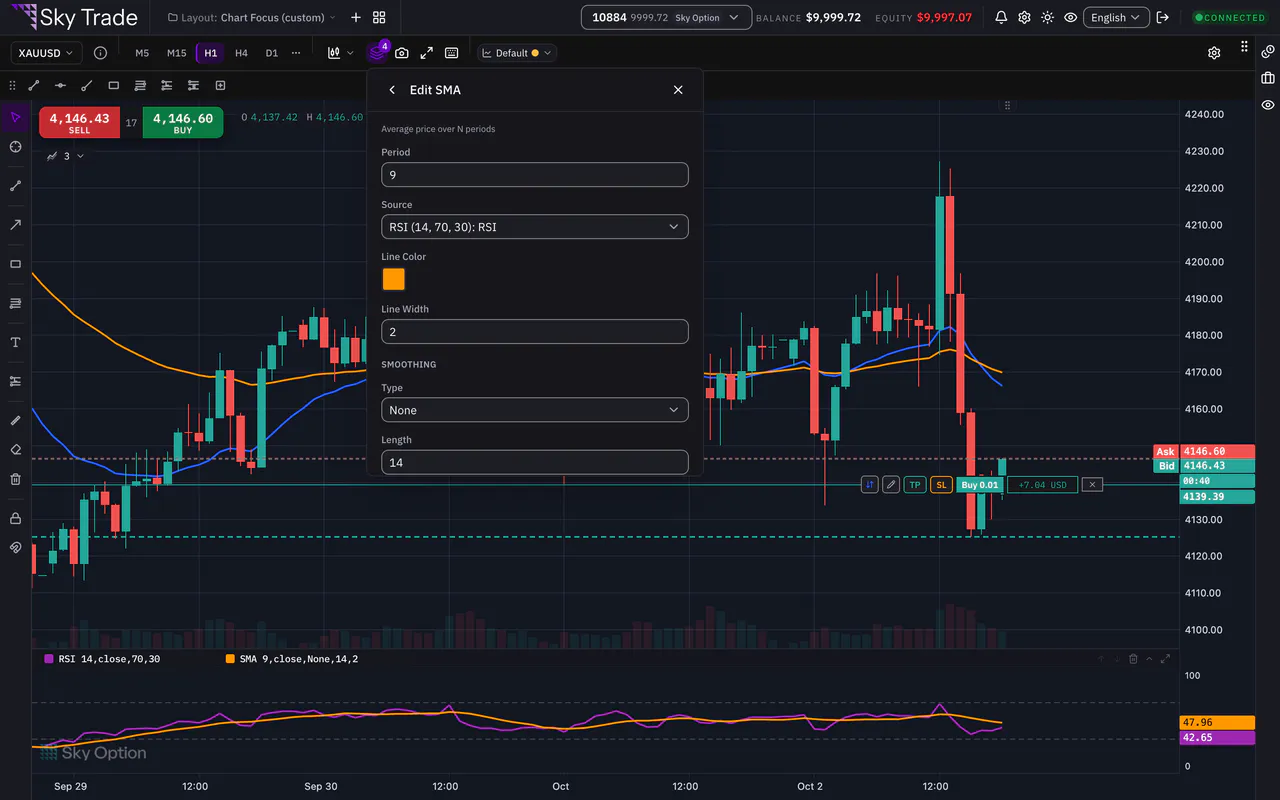
Open Source. Below the price fields (Close, Open, High, Low and the three averages), each indicator on the chart has its own group of lines. Choose the RSI line, then press Add to chart.
Step 4: Read the result
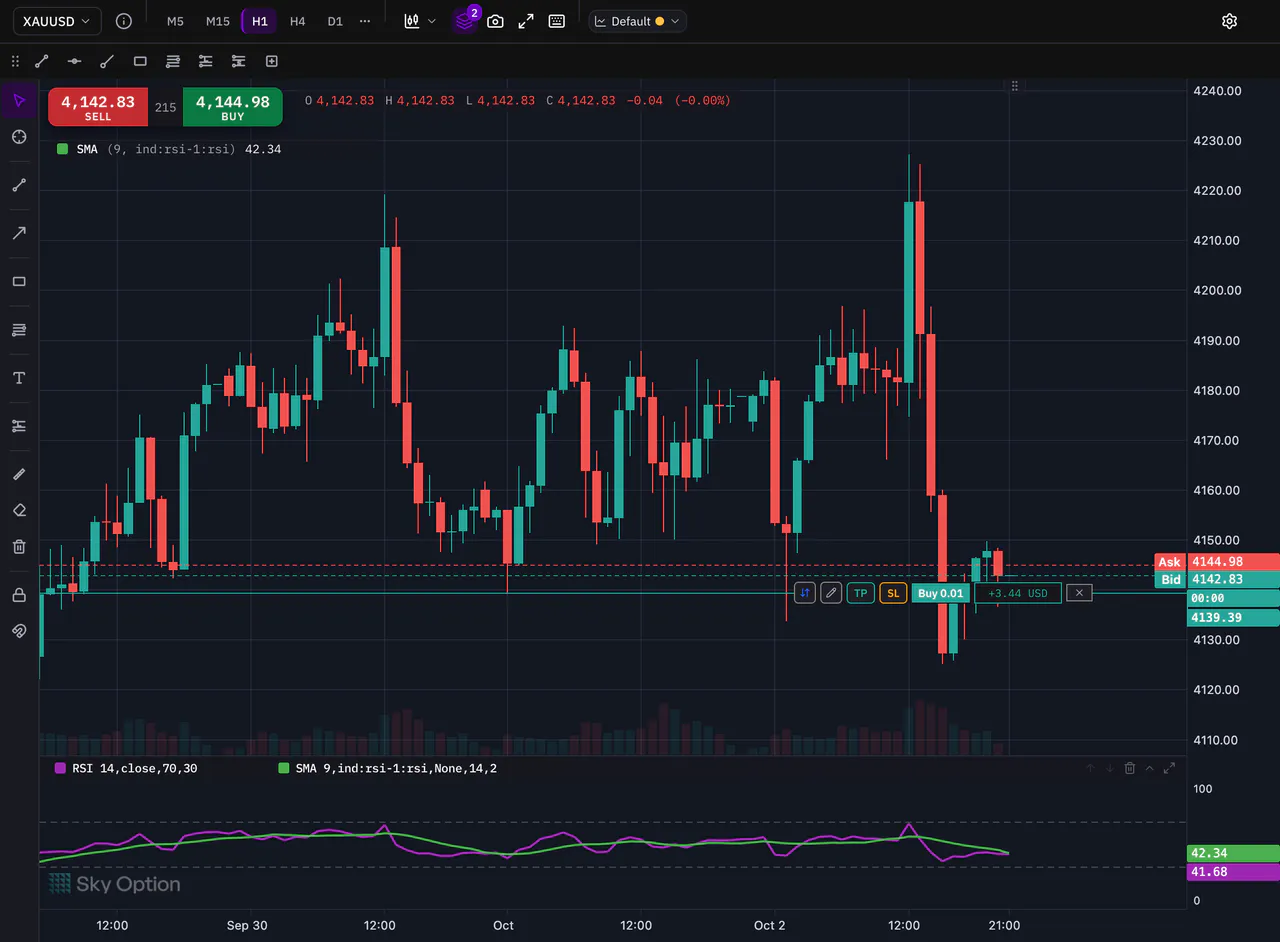
The moving average now draws inside the RSI pane, on the RSI line, and follows it with every new price. To change or remove the link, open the moving average’s settings from its legend and choose another Source.


That is the whole guide
You have done every step. Pick what to learn next, or try it on the live chart.
Up next
- Pro
Save and reuse chart templates
Save a whole chart setup: colours for both themes, the chart type, indicators and drawings. Put it on any chart, or take it to another computer in a file.
4 min4 steps - Pro
Keyboard shortcuts for the chart
Pick drawing tools, undo, open the indicators and save your template without reaching for the mouse. The chart answers to 30 shortcuts.
3 min4 steps