
A tour of the Sky Trade screen
Learn what each part of the screen is for, from the header to the AI button, so you always know where to look.
- Who it is for
- New traders on their first day in Sky Trade.
- Time
- 4 min
- Steps
- 7 steps
Steps in this guide7 steps
Step 1: The header
Along the top you find Layout, which switches and saves how your screen is arranged, then your account with its balance and equity. Next come the Events bell, the Platform Settings gear, the theme switch, Streamer Mode and the language menu. The connection status sits at the end.

Step 2: The watchlist
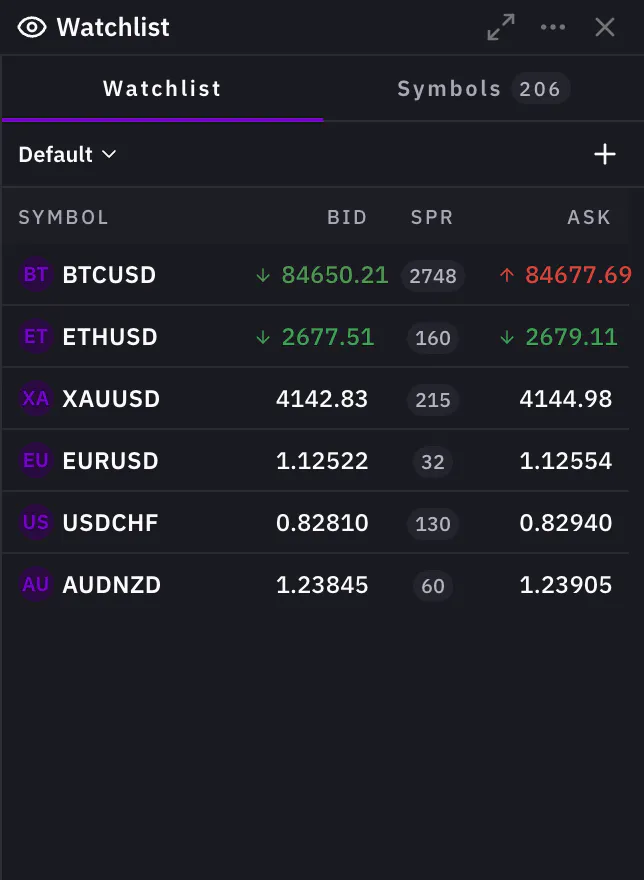
On the side, the watchlist shows each symbol with its live Bid, Ask and spread. A small arrow shows whether the price just went up or down. Click a symbol to open it on the chart.
Step 3: The chart toolbar
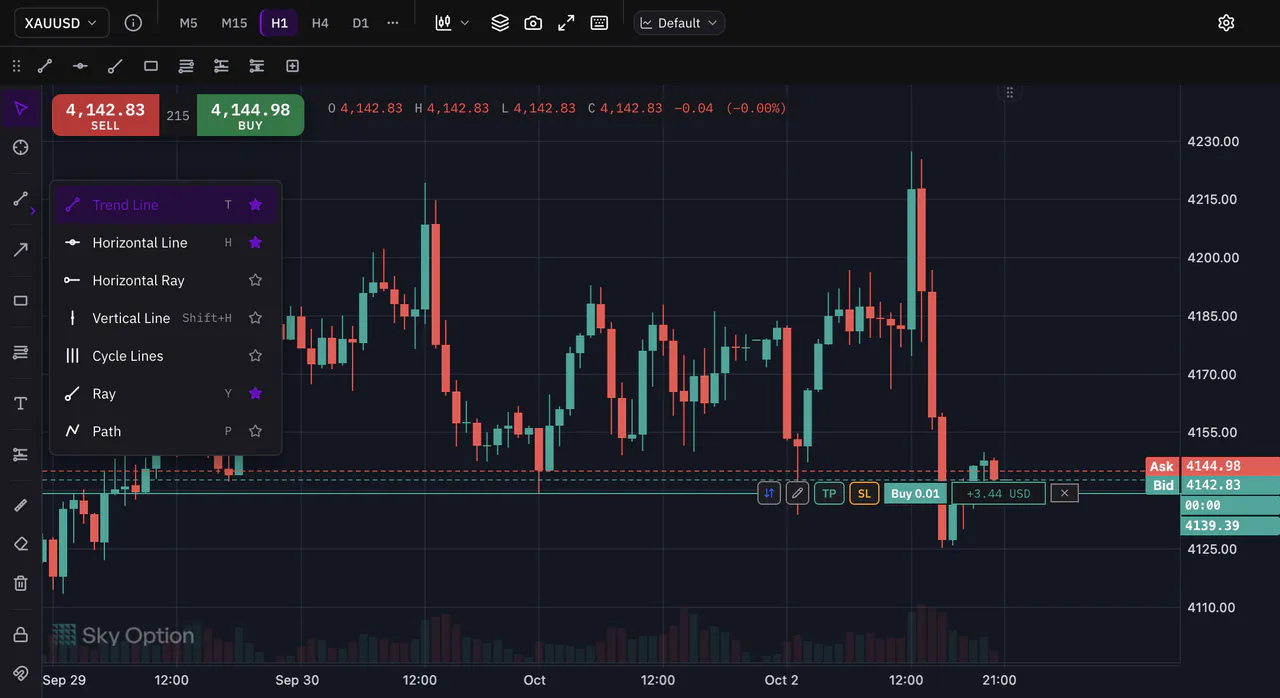
Above the chart: the symbol name (click it to search for another), your timeframe buttons, the chart type, Indicators, Share chart, fullscreen and the list of keyboard shortcuts.

Step 4: The drawing toolbar
Beside the chart is the drawing toolbar, with 25 tools in groups: lines, arrows, shapes, Fibonacci and Gann, text, positions and measuring. Each group shows the tool you used last; open its menu to choose another.
Step 5: Buy, Sell and the order ticket
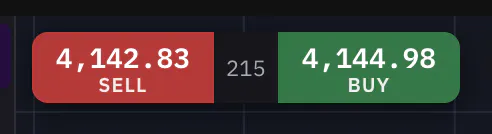
On the chart, the Sell and Buy buttons show the live bid and ask, with the spread between them. Press one to open the order ticket with that side already chosen.
Step 6: The tabs under the chart
Under the chart, tabs hold your Positions, Pending orders, Price Alerts and History. Click a tab to bring it to the front.

Step 7: The AI button
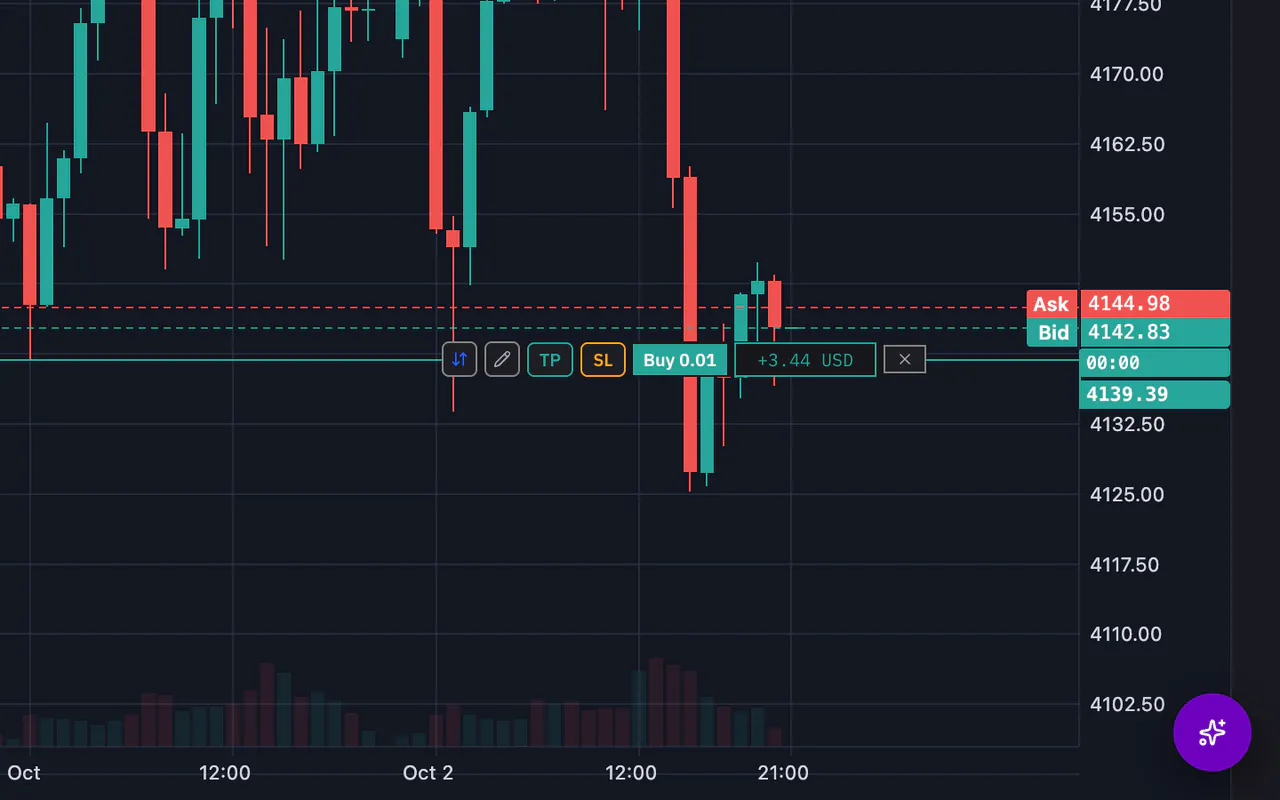
The round button in the bottom corner opens the AI Assistant. Ask it about the market or the chart, or have it get an order ready. Anything that trades a real account waits for your approval.


That is the whole guide
You have done every step. Pick what to learn next, or try it on the live chart.
Up next
- Beginner
Chart basics
Change the symbol, the timeframe and the chart type, move around the chart, and read any candle.
4 min5 steps - Beginner
Build your watchlists
Add the symbols you follow, keep a list for each market or idea, and switch between your lists.
3 min4 steps